Enhanced Fog Texture Pack for Minecraft Bedrock 1.21
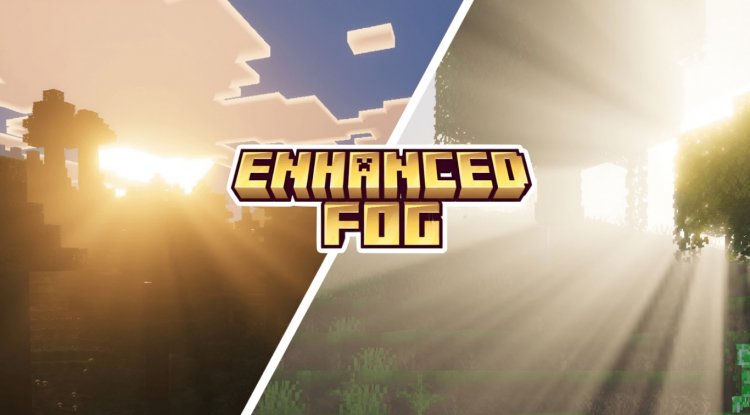
Enhanced Fog adds cinematic atmospheric effects and volumetric sunrays to Minecraft Bedrock. Works as an overlay with popular shaders like Vibrant Visuals.
Created by HoneyStudios
Enhanced Fog Texture Pack: Bring Cinematic Atmosphere to Minecraft Bedrock
Enhanced Fog is a texture pack for Minecraft Bedrock that transforms your world's atmosphere by adding cinematic fog effects and volumetric light rays. Created by HoneyStudios, this pack works as an intelligent overlay on top of your existing shaders, meaning you don't have to choose between your favorite visual setup and improved atmospheric effects. If you've ever envied the moody, immersive fog you see in heavily modded Java Edition servers, this pack brings that aesthetic within reach on Bedrock and MCPE.
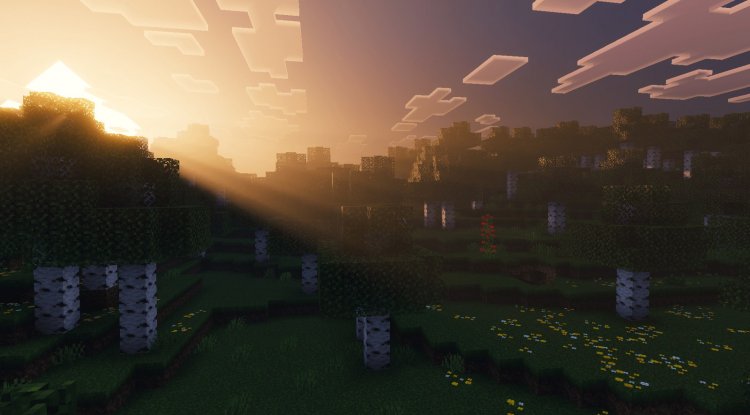
Photos by HoneyStudios
What Makes Enhanced Fog Different From Basic Minecraft Fog
Vanilla Minecraft fog is functional but flat. It creates distance-based transparency, sure, but it lacks character and atmosphere. Enhanced Fog reimagines how fog interacts with your world by layering sophisticated atmospheric effects on top of your existing rendering setup.
The key innovation here is that Enhanced Fog doesn't demand you replace your shader. Instead of the all-or-nothing approach many texture packs take, this overlay system lets you keep whatever shader combination you've already dialed in. This is a game-changer for players who've spent time customizing their visual setup and don't want to start from scratch.
Enhanced Fog Minecraft Bedrock: Core Features & Effects
- Cinematic Fog Atmosphere — Multi-layered volumetric fog that responds realistically to time of day and lighting conditions
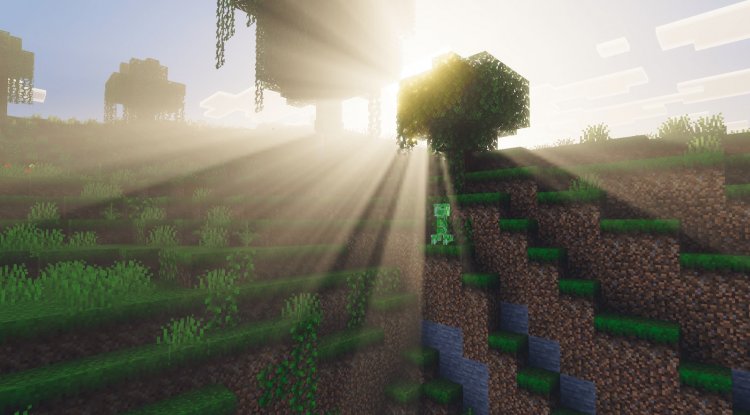
- Volumetric Sunray Rendering — God rays and light shafts that pierce through fog and clouds, creating dramatic lighting moments
- Shader Overlay Technology — Sits on top of existing shaders without replacing or conflicting with them
- Vibrant Visuals Integration — Optimized to work seamlessly with any Vibrant Visuals shader variant
- BSL Shaders Bedrock Compatible — Also works with other popular Bedrock shader options for flexibility
- Non-Invasive Installation — Simple resource pack stacking means no shader overwriting or file conflicts
Better Fog Minecraft: How It Changes Your Gameplay Experience
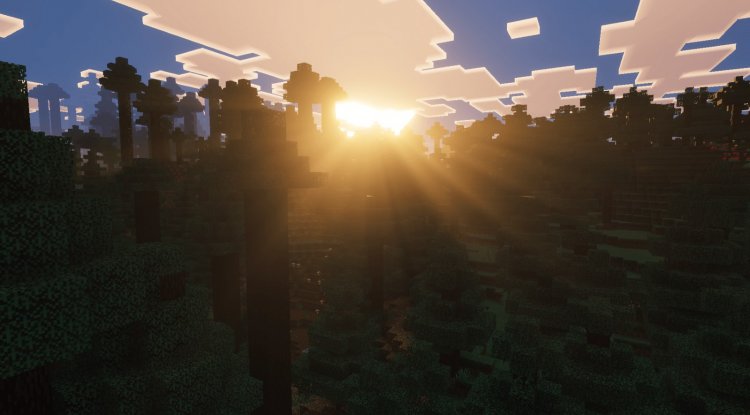
When you first load a world with Enhanced Fog enabled, the difference is immediately visible. Sunrises and sunsets gain dramatically improved visual depth. Morning mist rolling through a forest valley becomes an actual atmospheric phenomenon rather than just a rendering trick. Underground caverns suddenly feel more cavernous, with light from your torch or sky creating visible rays through the fog.
The practical impact extends beyond aesthetics. That enhanced fog you see in better fog minecraft mods helps with visual depth perception. Long render distances become less visually overwhelming when atmospheric layering creates a sense of distance-based clarity. It's the same reason photographers use atmospheric perspective—it grounds the eye and makes 3D space feel more natural.
For builders, the atmospheric effects can dramatically enhance architectural presentations. A castle entrance becomes genuinely foreboding. A mountain peak feels more isolated. These effects work especially well during golden hour—that magical window around sunrise and sunset when the volumetric rays are most pronounced.
Enhanced Fog MCPE & Bedrock Compatibility Breakdown
Enhanced Fog works across all modern versions of Minecraft Bedrock Edition, including the latest 1.21 release. The pack is optimized for mobile play on MCPE as well, though performance depends on your device's capabilities. The overlay approach means enhanced fog minecraft bedrock editions can run this pack without the performance hit you'd typically expect from heavy shader additions.
The compatibility is notably broad. It's designed to work with any Vibrant Visuals shader variant, meaning whether you're using Vibrant Visuals lite, standard, or ultra, Enhanced Fog adapts. It also supports BSL Shaders Bedrock, so you're not locked into a single shader ecosystem.
What makes this possible is the technical approach: rather than trying to replace shader code or override visual settings, Enhanced Fog operates as a resource pack layer. This means it adds textures and settings on top of what you already have running, resulting in better compatibility and fewer conflicts than you'd experience with traditional shader mods.
Installation & Setup: Getting Enhanced Fog Running
Setting up Enhanced Fog requires a few steps, but nothing complicated:
- Download the pack and extract the .mcpack file
- Open Minecraft Bedrock and navigate to Settings
- Import the pack through Resource Packs (the file will be recognized automatically)
- Create a new world or open an existing one
- Apply the pack in world settings — this is crucial for MCPE and Bedrock compatibility
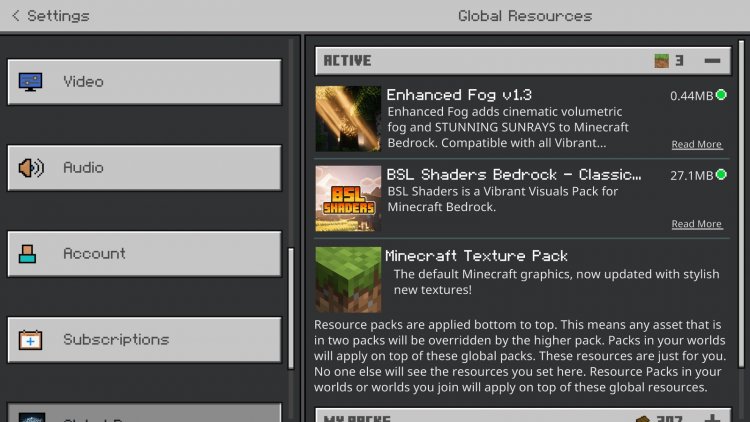
- Stack it above your shader in the resource pack order (Enhanced Fog should sit higher in the list than Vibrant Visuals or BSL)
- Enable Volumetric Fog in your shader's settings menu (usually found in Vibrant Visuals video settings)
If you're using a shader already, you won't need to reinstall it. Enhanced Fog works alongside your existing setup. After activation, load into your world and adjust your shader settings if needed—some players prefer tweaking fog density or light ray intensity through their shader's built-in options to match their preference.
Why Enhanced Fog Stands Out in the Bedrock Modding Scene
The modding community for Bedrock has grown significantly, but truly atmospheric texture packs remain rare. Most improvements focus on textures or blocks, not environmental effects. Enhanced Fog fills that gap by delivering cinematic fog effects that were previously exclusive to heavily-modded Java servers or RTX-enabled systems.
HoneyStudios' design philosophy here is worth noting: rather than pushing players toward one specific shader solution, the overlay approach respects existing customizations. This is rare in the modding world, where most creators design with a specific ecosystem in mind. That flexibility makes Enhanced Fog useful whether you're a minimalist with light shaders or running a full visual overhaul.
The volumetric sunray system is the technical highlight. Properly rendered light rays require real-time calculation of how light interacts with particles in the air. On Bedrock, where processing power is more limited than Java, pulling this off without tanking frame rates is genuinely impressive.
FAQ: Enhanced Fog Minecraft Questions Answered
Will Enhanced Fog work if I don't have any shaders installed?
Enhanced Fog is designed to work with shaders, particularly Vibrant Visuals variants and BSL Shaders Bedrock. While you technically can install it without shaders, the volumetric fog features won't activate properly without shader support enabled in world settings. For best results, pair it with a compatible shader.
Does Enhanced Fog impact performance on low-end devices?
The overlay approach is performance-conscious compared to full shader replacements, but volumetric fog always has a cost. On lower-end MCPE devices, you may see a slight FPS reduction. Mid-range and newer devices typically handle it well. If performance is critical, test in a creative world first before committing to survival gameplay.
Can I use Enhanced Fog with shaders other than Vibrant Visuals?
It's officially compatible with Vibrant Visuals variants and BSL Shaders Bedrock. Other shaders may work, but compatibility isn't guaranteed since the pack relies on specific shader features to activate volumetric fog settings. Stick with tested combinations for the best experience.
How do I uninstall Enhanced Fog if I want to go back to vanilla fog?
Simply remove Enhanced Fog from your resource pack list in world settings, then reload your world. Since it's an overlay pack, it won't have permanently changed any game files—removing it reverts your visuals instantly.
What's Your Reaction?













![Patrix Resource Pack For 1.19 [32x→256x]](https://minecraftmodded.com/uploads/images/202210/image_750x415_6343b3ab59eff.jpg)


