Vanilla RTX Normals for Minecraft Bedrock: Ray Tracing Guide
Vanilla RTX Normals adds realistic surface lighting to Minecraft using normal maps. Learn how to download and install this ray tracing resource pack for RTX.
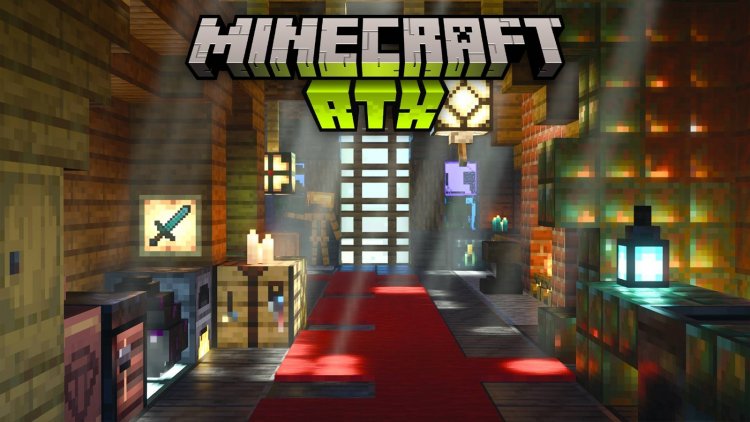
Created by Cubeir
Vanilla RTX Normals for Minecraft Bedrock: Complete Ray Tracing Review
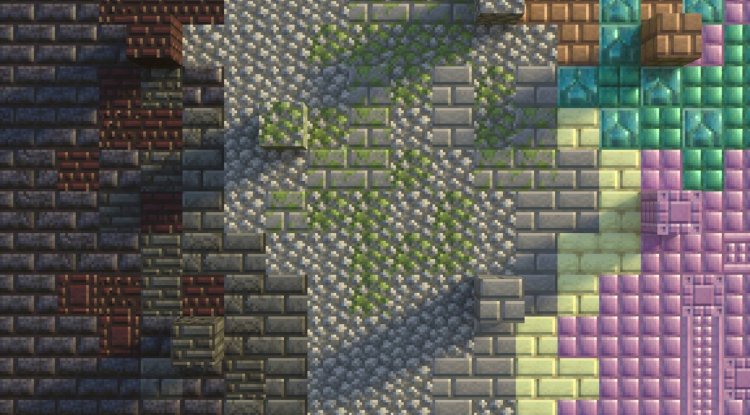
Vanilla RTX Normals is a ray tracing resource pack that transforms Minecraft's vanilla blocks using handcrafted normal maps to simulate realistic surface lighting, depth, and material definition. Created by Cubeir, this pack bridges the gap between Minecraft's iconic blocky aesthetic and cutting-edge RTX ray tracing technology, delivering a visual upgrade that feels authentically "Minecraft" rather than stylistically alien.
If you've been curious about ray tracing in Minecraft but hesitated because other packs felt too extreme or broke the vanilla feel, Vanilla RTX Normals might be exactly what you've been waiting for. This isn't about turning your game into a photorealistic simulator—it's about making every block look more tactile and three-dimensional while staying true to the game's core identity.
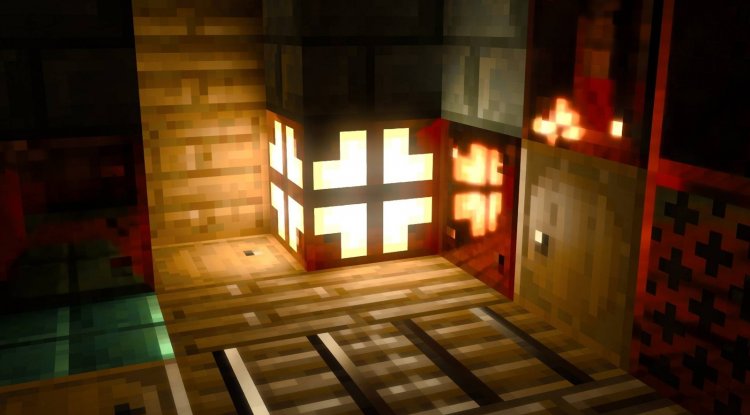
Photos by Cubeir
What Makes Vanilla RTX Normals Different From Standard Vanilla RTX
The distinction between Vanilla RTX Normals and the original Vanilla RTX might seem technical, but it fundamentally changes how your blocks look. Standard Vanilla RTX relies on heightmaps—a technique that creates surface variation through altitude information. Vanilla RTX Normals instead uses 16x resolution normal maps, which directly encode light direction and surface curvature data into every texture.
This approach means that a wooden plank doesn't just look slightly bumpy—it displays grain patterns and fiber direction that respond naturally to light. Stone blocks show genuine geological texture. Even seemingly simple blocks like dirt and grass gain surprising visual complexity. The result is a pack that leverages your RTX hardware more intelligently, producing richer surface detail without compromising performance or destroying what makes Minecraft visually recognizable.
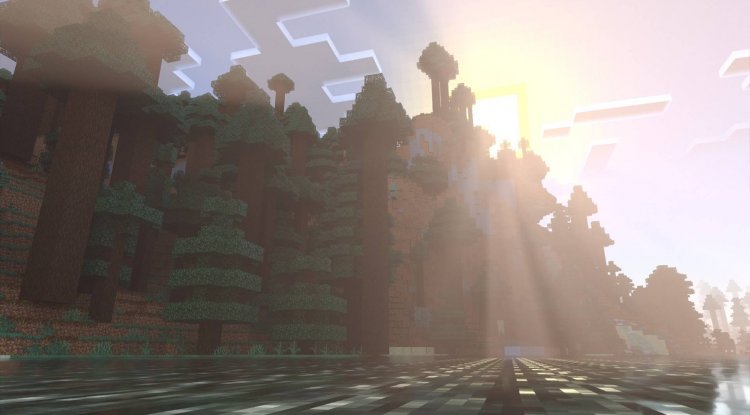
Download Vanilla RTX Normals for Minecraft Bedrock: What's Included
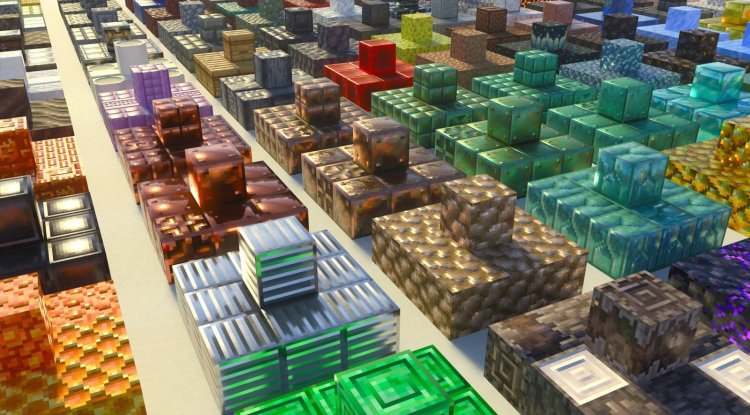
Vanilla RTX Normals covers an impressively comprehensive block library. You're not limited to survival mode staples—the pack includes all vanilla blocks, creative mode exclusive blocks, education edition content, and even unobtainable blocks. This completeness matters because it means if you're experimenting with commands or exploring creative worlds, every single block maintains visual consistency.
Each block receives unique material treatment that respects material relationships. Wooden blocks feel cohesively wooden across variants. Metal blocks share a consistent metallic language. This isn't lazy copy-pasting; Cubeir has handcrafted individual designs that make the entire game world feel intentionally lit and detailed rather than randomly textured.
Core Features That Make This Pack Stand Out
- Handcrafted 16x Normal Maps: Every block includes professionally designed normal maps that simulate genuine surface curvature and realistic light interaction
- Complete Vanilla Coverage: Support for survival, creative, education, and unobtainable blocks ensures visual consistency everywhere
- Vanilla Aesthetic Preservation: The pack maintains Minecraft's iconic block appearance while adding ray tracing sophistication
- Biome-Matched Fog Colors: Atmospheric fog is tuned to vanilla biome concepts with adjustable intensity settings
- Regular Updates: Cubeir continuously adds support for new Minecraft features and game versions
- Vanilla RTX Compatibility: Resolves resource conflicts between vanilla textures and ray tracing systems
- Multiple Variants: Choose between the standard pack, the Vibrant Normals branch for non-RTX systems, or the 192x Opus variant for extreme detail seekers
- Launcher Integration: Works seamlessly with the Vanilla RTX App for optimized ray tracing, auto-updates, and DLSS management
Minecraft RTX Settings You Need to Know About
Installing Vanilla RTX Normals is only half the battle—configuring your minecraft rtx settings properly determines whether you'll experience stunning visuals or frustrating performance issues. Before you even launch the pack, verify that your GPU meets minimum requirements: NVIDIA GeForce RTX 20 Series or newer, AMD Radeon RX 6000 Series or newer, or Intel Arc A380 or better.
Once installed, navigate to your Minecraft settings and confirm that ray tracing is explicitly enabled before joining any world. Many users skip this step and then wonder why their normal maps look flat and unlit. The pack's visual magic depends entirely on ray tracing being active—it's not optional.
The Vanilla RTX App launcher tool deserves special mention here. Rather than merely serving as a download manager, it provides customization options, handles automatic updates, and manages DLSS upgrades (particularly valuable if you own RTX 50-series hardware). Using the launcher instead of launching Minecraft directly ensures optimal ray tracing initialization and prevents many common texture-loading issues.
Who Should Download Vanilla RTX Normals for Minecraft Bedrock
This pack is ideal for players who love vanilla Minecraft but want to experience it through modern graphics technology. You're not chasing photorealism here—you're enhancing the vanilla experience. If you've felt disappointed by ray tracing packs that transform Minecraft into something unrecognizable, or if you've tried heightmap-based approaches and found them lacking, Vanilla RTX Normals occupies a sweet spot between innovation and preservation.
Builders and creative players especially benefit from the comprehensive coverage of creative mode and unobtainable blocks. Content creators looking to showcase Minecraft with cutting-edge visuals without alienating their audience will find this pack strikes exactly the right balance. Technically curious players who appreciate well-designed normal maps and understand ray tracing terminology will recognize Cubeir's craftsmanship immediately.
However, if you play on Android, iOS, or gaming consoles, this pack isn't compatible with your platform—it requires Minecraft RTX on Windows 10 or Windows 11 with compatible NVIDIA, AMD, or Intel hardware.
How to Install Vanilla RTX Normals
- Download the .mcpack file using the button below
- Right-click the downloaded file and select "Open with Minecraft" or "Open with Minecraft Preview"
- Minecraft will launch automatically and import the pack into Global Resources
- Alternatively, use the Vanilla RTX App launcher for optimized ray tracing initialization and additional customization options
- Before joining any world, confirm that ray tracing is enabled in your Minecraft settings
- Create or load a world and the pack's normal maps will render immediately
If you encounter texture-loading delays or frame rate issues, the official documentation provides extensive troubleshooting solutions covering display problems, DLSS configuration, and system optimization.
Frequently Asked Questions About Vanilla RTX Normals
How does Vanilla RTX Normals compare to the original Vanilla RTX pack?
The original uses heightmaps for surface definition, while Vanilla RTX Normals uses handcrafted 16x normal maps that encode light direction and curvature data directly. Normal maps typically produce richer surface detail and more realistic lighting responses while maintaining better performance.
What if my GPU doesn't support ray tracing?
Cubeir offers the Vibrant Normals branch, which provides the same normal map textures without requiring ray tracing hardware. This lets players on older systems experience the pack's enhanced visuals through alternative rendering methods.
Will this pack work with my current Minecraft worlds?
Yes—Vanilla RTX Normals maintains full vanilla block functionality and compatibility. Simply add it to Global Resources, enable ray tracing, and load any world. Your builds, redstone contraptions, and gameplay mechanics work identically.
Is there a more detailed version available?
Yes—the 192x Opus variant provides substantially higher texture resolution for players with powerful hardware who want maximum visual detail. The standard pack offers an excellent balance of quality and performance for most systems.
What's Your Reaction?













![Patrix Resource Pack For 1.19 [32x→256x]](https://minecraftmodded.com/uploads/images/202210/image_750x415_6343b3ab59eff.jpg)


