Veloria Visual Texture Pack: Magical Celestial Effects for MCPE
Discover Veloria Visual, a celestial texture pack that transforms Minecraft Bedrock with enchanting magical effects and dreamy visuals. Creator: Z E P H Y R.
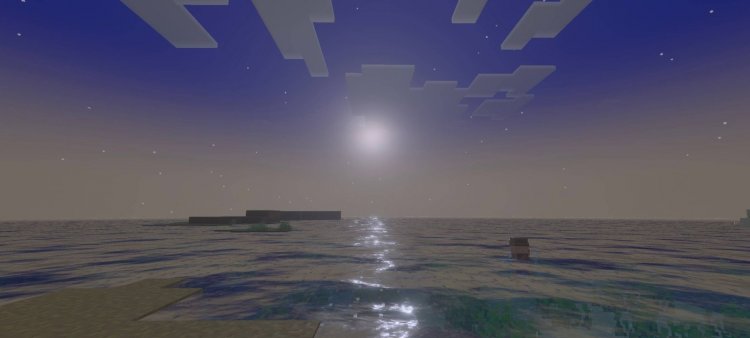
Created by Z E P H Y R
Veloria Visual Texture Pack: Transform Your Minecraft World Into a Magical Realm
Veloria Visual is a texture pack designed by Z E P H Y R that layers enchanting magical and celestial visual effects onto your Minecraft Bedrock world. Rather than overhauling block textures entirely, this pack specializes in atmospheric enhancements—dreamy color grading, heavenly sky visuals, and mystical lighting that transforms how your world feels and looks. If you've ever wanted your survival world to feel less like blocky survival and more like you're exploring a fantasy storybook, this is worth your attention.
We've spent time testing Veloria Visual across different biomes and lighting conditions, and we're genuinely impressed with how much ambiance a well-executed texture pack can bring to Bedrock Edition. Let's break down what makes it stand out, who should grab it, and how to get it running on your device.
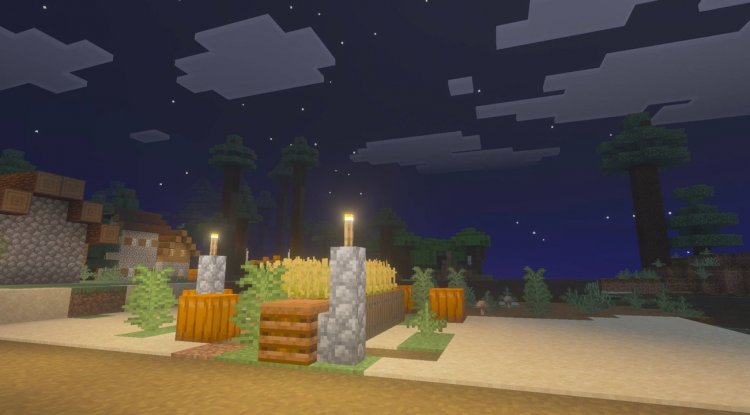
Photos by Z E P H Y R
What Makes Veloria Visual Different From Standard Texture Packs
Most texture packs focus on updating block faces, adding detail to tools, or redesigning mobs. Veloria Visual takes a different approach entirely. Rather than pixel-pushing individual textures, this pack specializes in global visual effects—the kind of atmospheric enhancement that affects how light, color, and ambiance feel throughout your entire world.
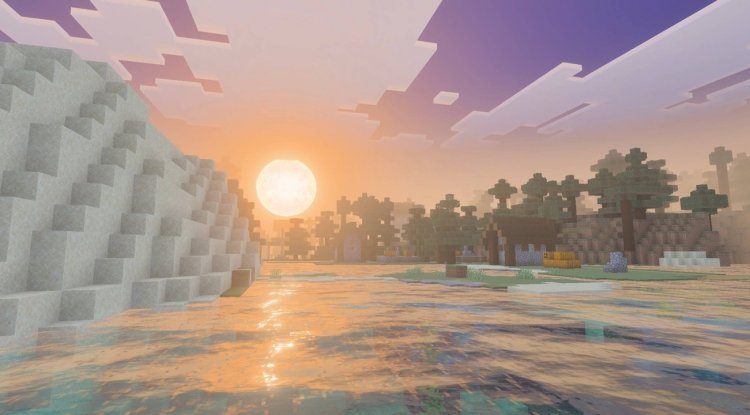
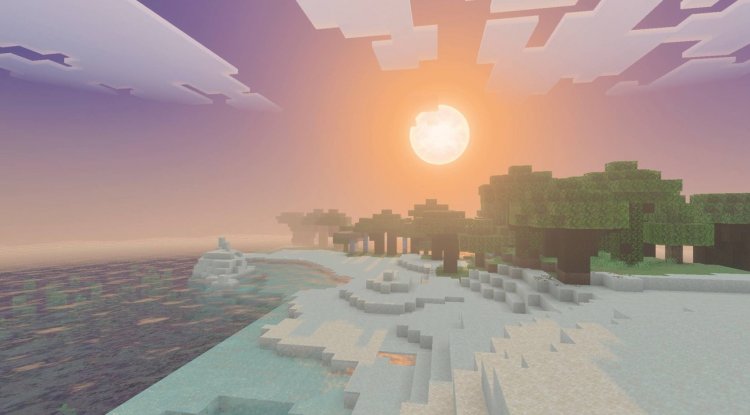
The magic here comes from layering celestial and enchanting lighting effects over your existing world. Think of it less like a reskin and more like putting on a pair of magical glasses that shift how you perceive the environment. The dreamy color palette creates this ethereal quality, especially noticeable when exploring at sunset or under starlight. The heavenly sky visuals are particularly striking—sunsets feel more cinematic, stars appear more prominent, and the overall atmosphere leans heavily into fantasy territory.
This makes Veloria Visual ideal if you're tired of Minecraft's default aesthetic but aren't ready to commit to a completely new art style. It enhances what's already there rather than replacing it.
Key Features and Visual Effects You'll Notice
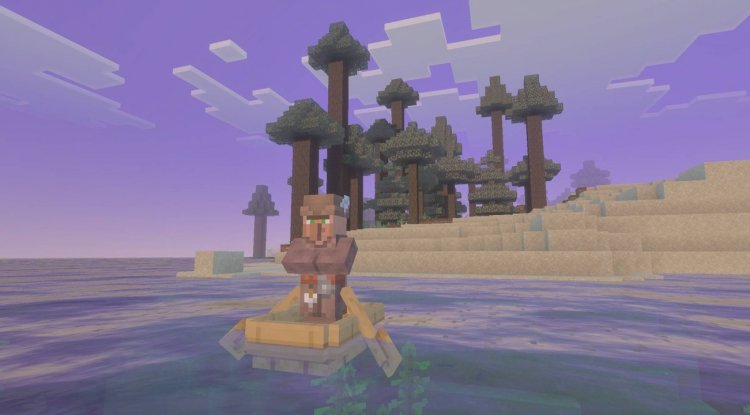
- Enchanting Lighting Effects: Dynamic and atmospheric lighting that dramatically shifts mood based on time of day and weather conditions
- Dreamy Color Palette: Softened, saturated colors that feel more painterly and less harsh than vanilla Minecraft
- Heavenly Sky Visuals: Enhanced skies with better cloud rendering, more dramatic sunsets, and improved star visibility
- Mystical and Fantasy Aesthetic: Every visual element pulls toward a magical, otherworldly feeling
- Vibrant Visual Enhancement: Boosts overall visual clarity and color depth when properly configured
Who Should Install Veloria Visual?
This pack works best for specific types of players. If you're a builder who cares deeply about atmosphere—someone who likes to create cottages, fantasy castles, or magical forests—Veloria Visual is a no-brainer. The lighting effects and color palette will make your creations feel significantly more polished and intentional.
Survival players who've been playing vanilla for years and want a visual refresh without committing to a texture pack overhaul will appreciate how Veloria Visual works in the background. You still recognize your world; it just feels fresher and more magical.
Content creators and streamers should also consider this pack. The enhanced visuals photograph and record beautifully—screenshots and videos taken in Veloria Visual often have a more appealing, professionally-edited quality that resonates with viewers.
However, if you're looking for a pack that completely reimagines Minecraft's blocky art style or adds new block textures, this isn't it. Veloria Visual is atmospheric and effect-based, not structural.
Performance Considerations on Mobile and Console
Since Veloria Visual relies on global visual effects rather than high-poly replacement textures, it's actually quite performance-friendly for a Bedrock pack. MCPE players on older devices should find it runs smoothly, though enabling all visual effects simultaneously might impact frame rate on lower-end phones.
We recommend testing it on your specific device before fully committing. Start with default settings and gradually enable additional visual enhancements to find the sweet spot between atmosphere and performance. Console players (Nintendo Switch, PlayStation, Xbox) should see minimal performance impact given the pack's optimization focus.
The Vibrant Visual Setting—Why It Matters
One critical thing to know: Veloria Visual requires activation of your device's vibrant visual setting to achieve the full intended effect. This isn't something you enable within the pack file itself—it's a separate graphics setting in Minecraft Bedrock settings.
Navigate to Settings > Video in Minecraft and look for graphics or visual enhancement options depending on your device. Enabling this setting works in tandem with Veloria Visual's color grading to unlock the full magical atmosphere the pack designer intended. Without it, you'll still get some benefit, but you'll be missing a significant chunk of the visual upgrade.
If you're unsure whether your device supports this setting, check the in-game screenshot previews included with the pack—they show exactly what the intended visual experience should look like.
Creator and Community Support
Veloria Visual was created by Z E P H Y R, who actively maintains the pack and supports the community. One nice touch: the creator accepts addon and texture pack requests through their Discord community. If you have ideas for modifications or want to see specific effects added, you can actually reach out and potentially influence future updates.
This level of creator engagement is valuable because it means the pack will likely continue to receive updates and improvements rather than becoming abandoned abandonware.
How to Install Veloria Visual on Your Device
For Mobile (MCPE): Download the .mcpack file to your device. Your file manager should automatically prompt you to open it with Minecraft—tap "Import" and the pack will be added to your world. When creating a new world or editing a realm, navigate to the texture packs section and activate Veloria Visual.
For Console: Depending on your platform, access the marketplace or resource pack menu from the main world creation screen. Search for Veloria Visual and install through the in-game system.
Important:** After installation, enable the vibrant visual setting in your Video Settings for the full intended effect.
Preview First: The pack includes in-game screenshots showing the visual effects in action. Review these before applying to any worlds you're actively playing in, so you know what to expect.
Frequently Asked Questions
Does Veloria Visual change block textures or only visual effects?
Veloria Visual primarily focuses on atmospheric effects—lighting, color grading, and sky visuals. While it enhances how existing blocks appear, it doesn't fundamentally redesign block textures the way full-coverage texture packs do.
Will Veloria Visual work on older devices or low-end phones?
Yes, the pack is relatively lightweight since it uses effect-based enhancements rather than high-resolution texture replacements. However, enabling all visual settings simultaneously on very old hardware might impact frame rate—test it first.
Do I need any special shaders or additional mods for Veloria Visual to work?
No—Veloria Visual functions as a standalone texture pack. The vibrant visual setting is built into Minecraft Bedrock's graphics options, not a separate shader mod.
Can I use Veloria Visual with other texture packs?
You can only have one primary texture pack active at a time in Bedrock. However, you can layer it with cosmetic packs that modify specific elements. Test combinations carefully to ensure visual consistency.
What's Your Reaction?













![Patrix Resource Pack For 1.19 [32x→256x]](https://minecraftmodded.com/uploads/images/202210/image_750x415_6343b3ab59eff.jpg)


