Dynamic Crosshair Minecraft Bedrock: 200+ Custom Designs
Discover the ultimate dynamic crosshair resource pack for Minecraft Bedrock with 200+ customizable designs. PvP-optimized styles, no performance impact.
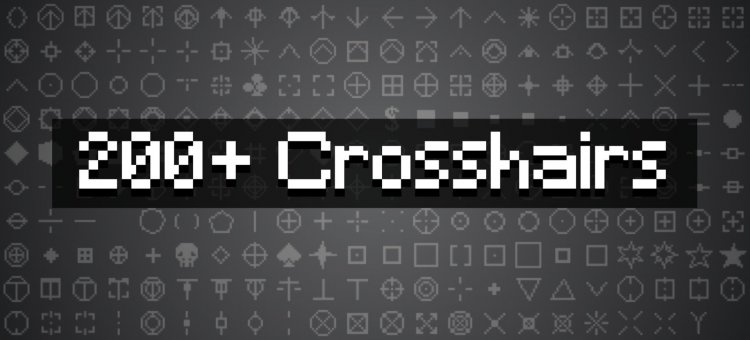
Created by voxenMC2
Dynamic Crosshairs: The Ultimate Minecraft Bedrock Crosshair Pack Review
A dynamic crosshair resource pack for Minecraft Bedrock is a purely visual modification that replaces your default crosshair with one of 200+ customizable designs tailored to your playstyle. Created by voxenMC2, this pack transforms one of the most-seen elements of your HUD into a personalized statement—whether you're grinding PvE dungeons, grinding PvP arenas, or just want your crosshair to look cooler than vanilla.
If you've ever wondered "what is the best crosshair in Minecraft," the answer isn't universal—it's personal. This pack proves it by offering styles for every mood, skill level, and combat scenario. Let's dive into why this resource pack deserves a spot in your Bedrock world.
What Makes Dynamic Crosshair the Best Crosshair Option for Minecraft Bedrock
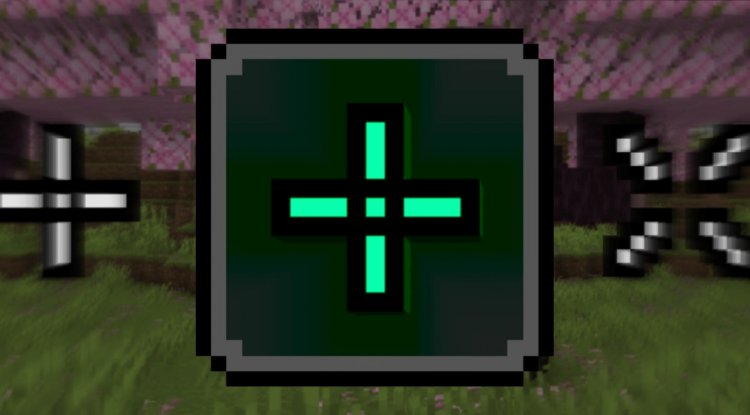
The default Minecraft crosshair is functional but forgettable—a bland white plus sign that's been unchanged for years. The best crosshair in minecraft isn't always the simplest one; it's the one that fits your needs. This pack addresses that by bundling 200 completely different styles into a single, lightweight resource pack.
What sets this apart from scattered individual crosshair mods is the integration of voxenMC2's subpack system, which lets you switch between all 200 designs without needing external tools or restarting your world. Change your mind mid-session? Switch styles in seconds through the game's Settings menu. This flexibility alone makes it a standout option for players who like to experiment or who play multiple server types.
Since it's purely visual with zero performance impact, even players on lower-end devices can enjoy crisp, custom crosshairs without lag or stuttering. That's critical for Bedrock players, many of whom are on mobile or console hardware.
Exploring 200 Dynamic Crosshair Minecraft Designs
Quantity without variety is worthless, but this pack delivers both. The 200 designs span multiple aesthetic and functional categories:
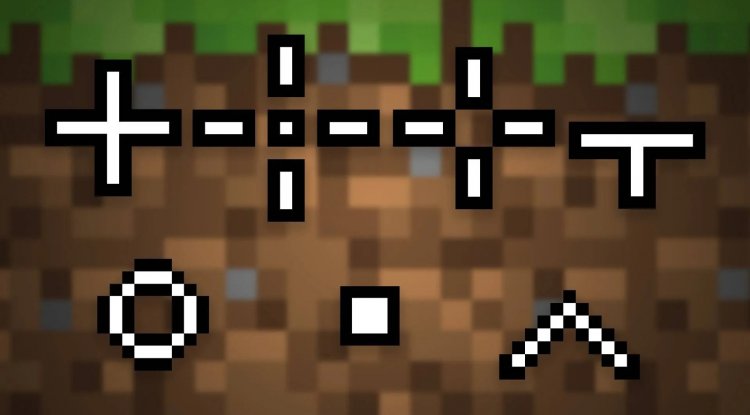
- Classic Shapes: Dots, circles, diamonds, and traditional crosses for minimalists
- Tactical Reticles: Scope rings, crosshairs, and precision-focused designs built for dynamic crosshair minecraft pvp combat
- Creative Styles: Hearts, skulls, stars, arrows, and chevrons for personality
- Specialty Shapes: Flowers, lightning bolts, sparkles, spades, clubs, pentagons, and hexagons—because why not make targeting stylish?
- Hybrid Crosshairs: Combination designs that blend two styles together for a unique look
- Invisible Option: Disable the crosshair entirely if you prefer playing without a centered target indicator
This breadth means there's genuinely something for every player. Competitive PvP veterans will gravitate toward the scope and reticle designs optimized for precision. Casual players might pick a heart or star. Speedrunners could opt for minimal dots. The pack doesn't force you into a box—it gives you 200 ways to express yourself.
Dynamic Crosshair for PvP: Combat-Optimized Designs
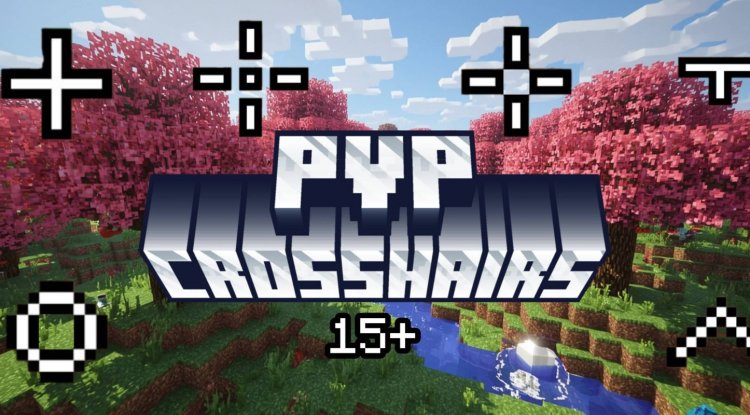
If you're serious about dynamic crosshair minecraft pvp, this pack takes combat accuracy seriously. The included PvP-focused crosshair options are designed with competitive awareness in mind—crisp lines, high contrast, and minimal visual noise to help you track opponents without distraction.
Scope reticles and precision crosshairs let you gauge distance and positioning at a glance. Some designs include additional visual cues that don't interfere with gameplay but subtly help with enemy tracking. Whether you're bridge fighting, axe swinging, or bow dueling, having a crosshair optimized for your combat style can genuinely improve your hit registration perception and consistency.
The customizable nature means you can test different styles in different servers and situations, finding what works best for your reflexes and sensitivity settings.
How to Install Dynamic Crosshair on Minecraft PE and Bedrock
The installation process for this dynamic crosshair minecraft bedrock pack is straightforward and requires no external tools or configuration files beyond what the pack provides.
- Download the .mcpack file (it will be available from the source)
- Open the file on your device—it should automatically launch Minecraft or prompt you to open it with Bedrock Edition
- Confirm the import when Bedrock asks to add the resource pack to your library
- Apply to a world: Open Settings → Global Resources and toggle the pack on
- Select your crosshair: Within the same Global Resources section, use the subpack selector to choose which of the 200 designs you want active
- Play! No restart needed—your crosshair changes instantly
The subpack system is the secret sauce here. Instead of managing dozens of individual packs, everything lives in one neat resource pack with a built-in switcher. This also means you can swap styles between worlds without reapplying anything—just change the subpack setting and you're done.
Dynamic Crosshair Settings and Configuration Options
While this is a resource pack and not a full mod, the dynamic crosshair minecraft config options are handled elegantly through Minecraft Bedrock's native subpack system. You won't be editing JSON files or tweaking external launchers.
Once installed, your only "configuration" is choosing which of the 200 designs appeals to you. The pack handles everything else—there are no additional sliders, opacity settings, or color wheels to adjust. This simplicity is intentional: voxenMC2 designed this to work straight out of the box on any Bedrock device.
If you want to experiment, you can swap between styles as often as you like without consequences. Think of it as a wardrobe for your crosshair—change it whenever the mood strikes.
Why Download Dynamic Crosshair Now
If you've been searching for a dynamic crosshair download that's actually worth your time, this is it. The pack checks every box: variety (200 designs), quality (thoughtfully designed styles), compatibility (works on Bedrock and PE), and usability (zero setup friction).
The fact that voxenMC2 bundled everything into a single pack with subpack switching shows real player-first design philosophy. You're not managing multiple installations or dealing with messy folder structures. You're just picking a crosshair you like and playing.
Whether you're optimizing for PvP performance, expression, or just bored with vanilla, this pack transforms a small but constantly-visible UI element into something that's genuinely yours.
FAQ: Dynamic Crosshair Minecraft Bedrock
Will this dynamic crosshair resource pack affect my FPS or performance?
No. Since it's purely a visual modification that swaps texture files, there's zero performance impact. Even players on mobile devices or older consoles will see no lag or stuttering.
Can I use this dynamic crosshair texture pack on Minecraft Java Edition?
This pack is designed specifically for Minecraft Bedrock Edition and Pocket Edition. Java Edition players would need different crosshair mods or packs built for that version.
How do I switch between the 200 different crosshair styles once installed?
Open Minecraft Settings → Global Resources, find the Dynamic Crosshairs pack, and use the subpack selector dropdown to choose your desired design. Changes apply instantly without restarting.
Are the PvP crosshair designs actually better than vanilla for combat?
The PvP-focused designs are optimized for clarity, contrast, and minimal visual distraction during combat—qualities that many competitive players prefer. Whether they "improve" your performance depends on your playstyle, but they're definitely a more intentional choice than the default crosshair.
What's Your Reaction?













![Patrix Resource Pack For 1.19 [32x→256x]](https://minecraftmodded.com/uploads/images/202210/image_750x415_6343b3ab59eff.jpg)


