Vibrant RTX Visuals: Enhance Minecraft Bedrock Colors & Lighting
Vibrant RTX Visuals boosts Minecraft's color saturation and lighting effects. This texture pack intensifies biome colors and shadow quality for RTX-capable systems.
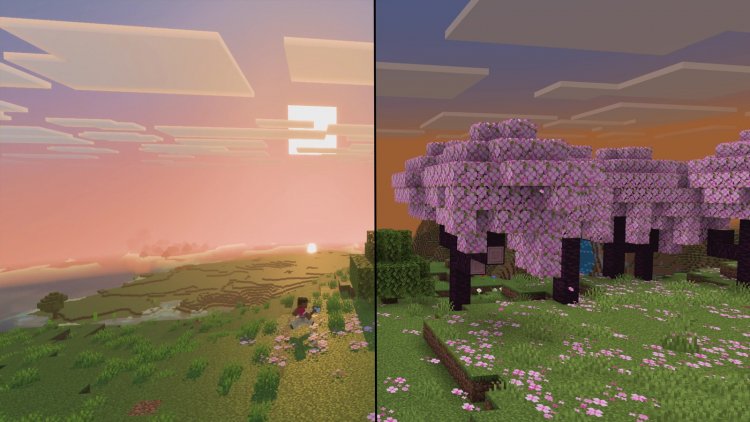
Vibrant RTX Visuals is a texture pack designed to pump up Minecraft Bedrock's color saturation and dramatically improve lighting effects across your world. Created by ItzzMikey, this pack transforms the base game's visual palette into something far more vivid and dynamic, making biomes pop with life while enhancing shadows and overall contrast for a more immersive experience.

What Makes Vibrant RTX Visuals Stand Out
If you've ever loaded into a Minecraft world and thought the colors felt a bit muted, you're not alone. The default texture set is functional but undeniably safe. Vibrant RTX Visuals takes a completely different approach—instead of redesigning individual block textures from scratch, it focuses on what truly impacts how you perceive the game: saturation, lighting, and environmental color grading.
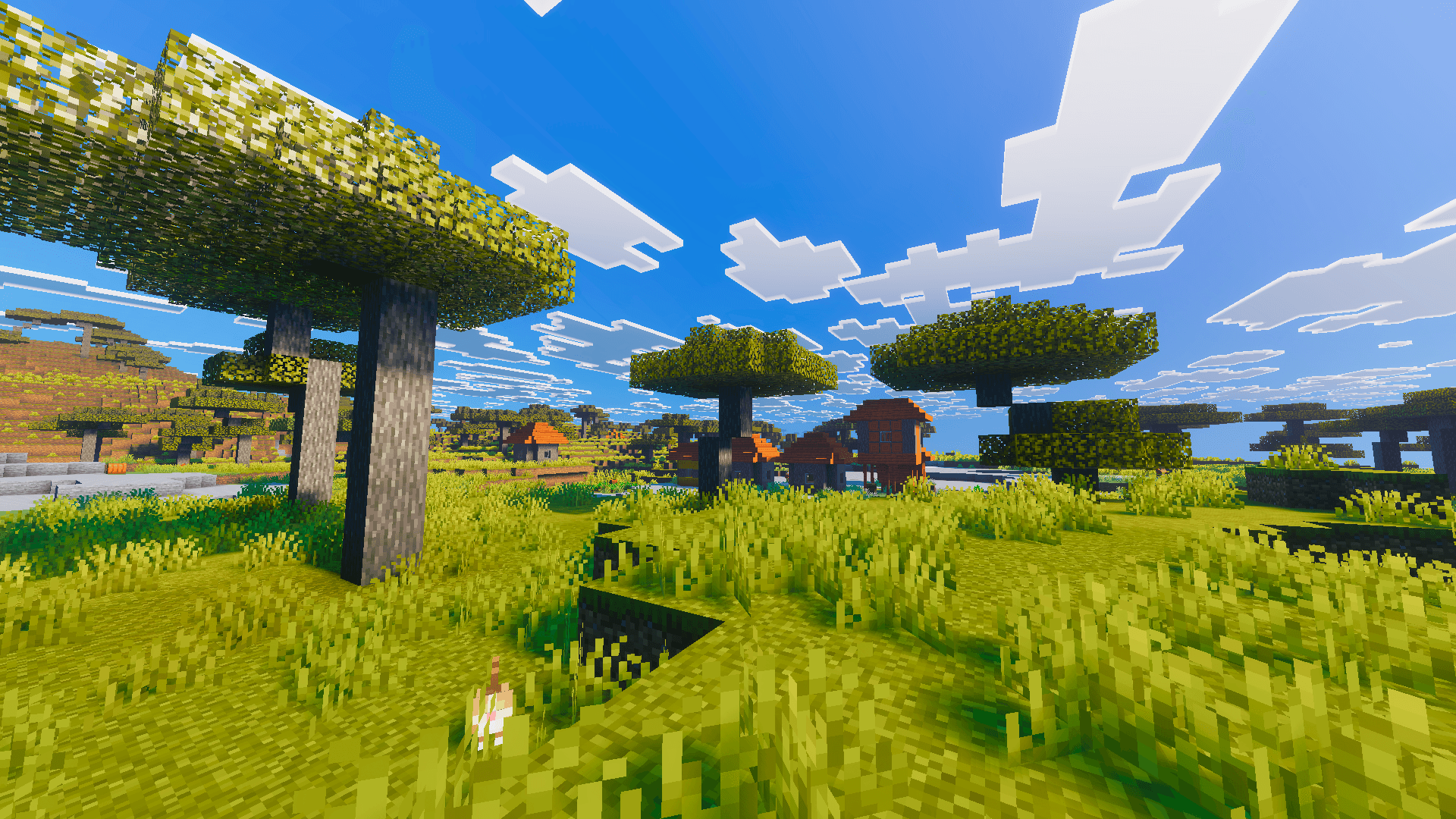
The pack works especially well on RTX-capable systems where ray tracing amplifies the benefits of these enhancements. Shadows become more nuanced, grass glows with genuine vitality, and the sky rendering gains the atmospheric depth that vanilla Minecraft often lacks. It's the kind of upgrade that makes you want to load up your favorite world just to see familiar locations with fresh eyes.

Vibrant Visuals vs RTX Minecraft: Which Should You Choose?
There's often confusion between texture packs designed for standard rendering and those optimized for RTX ray tracing. The key difference is that Vibrant RTX Visuals is built with RTX hardware in mind, meaning it takes advantage of ray-traced shadows, reflections, and global illumination to showcase its color enhancements properly.
Standard texture packs can work fine on non-RTX systems, but they won't achieve the same visual impact. Vibrant RTX Visuals specifically leverages RTX capabilities to deliver lighting effects that simply can't exist in regular rendering. If your GPU supports ray tracing, choosing an RTX-optimized pack like this one over a generic alternative will provide noticeably superior results.
Key Features That Transform Your World
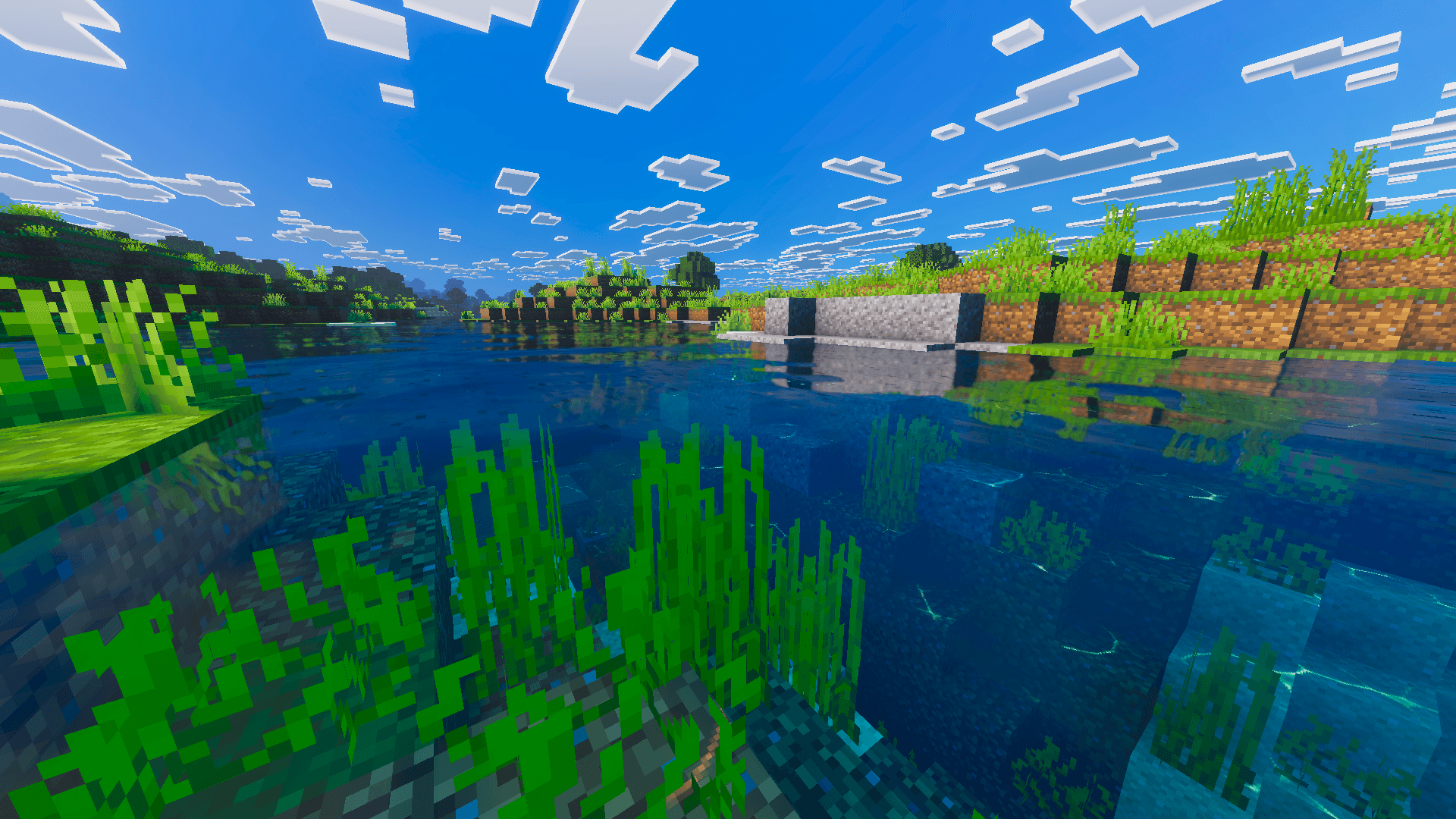
- Intensified Grass and Foliage Coloration – Biome-specific greens become richer and more distinct, from emerald jungles to olive-toned swamps
- Enhanced Sky Rendering with Cloud Detail – Clouds gain depth and dimensionality, creating a more convincing atmosphere above your world
- Increased Visual Contrast Between Blocks – Materials pop against each other, making it easier to distinguish building materials at a glance
- Sharper Terrain and Vegetation Texture Rendering – Ground textures and plant life appear crisper and more defined
- Improved Shadow Quality Across the Game World – RTX ray-traced shadows gain refinement and realism, creating dramatic lighting scenarios
What Graphics Card Do You Need for Minecraft Ray Tracing With This Pack
For the best experience with Vibrant RTX Visuals, you'll want a GPU that supports ray tracing. NVIDIA's RTX series (RTX 2060 and newer) handles ray tracing across all settings, though more powerful cards like an RTX 3060 or better provide higher framerates when running both the pack and ray tracing simultaneously.
AMD's RDNA2 architecture (RX 6600 XT and up) also supports ray tracing in Minecraft Bedrock. The RTX 3060 sits in a sweet spot for 1080p gaming with this pack—you'll get smooth performance with quality ray tracing enabled, though 1440p might require some setting adjustments.
If you're running older hardware without ray tracing capabilities, the pack still improves your visuals through better color saturation and contrast, though you'll miss out on the advanced shadow and lighting effects that truly showcase what ItzzMikey designed here.
Installation and Compatibility
Installing texture packs in Minecraft Bedrock is straightforward. Vibrant RTX Visuals comes as an .mcpack file, which Bedrock recognizes natively. Simply download the pack, open it with Minecraft Bedrock Edition, and it will automatically import into your resource packs folder. You can then activate it in your world settings, adjust the position in your pack list if needed, and restart your world to see changes take effect.
The pack is compatible with both Minecraft on Windows 10/11 and other Bedrock platforms. Performance can vary depending on your hardware, so enable ray tracing gradually if you're unsure about your system's capabilities. Most modern systems with RTX support should run this without issues, though always check your specific GPU's ray tracing support before purchasing or downloading.
Performance Expectations and Best Practices
Texture packs are generally lightweight compared to shader mods, but adding RTX ray tracing on top introduces additional GPU load. On an RTX 3060, expect 60+ FPS at 1080p with high ray tracing settings, assuming decent CPU support (Ryzen 5 3600 or Intel i7-10700K equivalent).
For the smoothest experience, enable graphics acceleration in Bedrock settings, ensure your GPU drivers are up-to-date, and consider reducing ray tracing samples if you're hitting framerate dips. The vibrant colors and enhanced lighting remain visible even at lower ray tracing intensities, so you don't need maximum settings to enjoy the pack's benefits.
Who Should Download Vibrant RTX Visuals?
This pack is ideal for players with RTX-capable hardware who want an immediate visual boost without overhauling their entire texture set. You're not getting custom block designs or artistic reinterpretations here—you're getting the same Minecraft you know and love, but dramatically more vivid and atmospherically convincing.
It's perfect for content creators looking to make their recording or streaming footage more visually appealing, survival players who want their builds to shine, and anyone frustrated with Minecraft's somewhat washed-out default color palette. If you're already using ray tracing and want to maximize its potential, Vibrant RTX Visuals is an excellent complement to your setup.
How to Install Vibrant RTX Visuals
Follow these steps to get the pack running:
- Download the Vibrant RTX Visuals .mcpack file
- Locate the file in your Downloads folder
- Double-click the .mcpack file (or right-click → Open with Minecraft)
- Minecraft Bedrock will open and automatically import the pack
- Launch Minecraft and create a new world or open an existing one
- Go to Settings → Resource Packs
- Find "Vibrant RTX Visuals" in the available packs list and move it to "Active"
- Restart your world—changes take effect immediately
You can adjust the pack's position in your active list if you're using multiple resource packs. Packs listed higher take priority, so place Vibrant RTX Visuals above any conflicting texture packs.
Frequently Asked Questions
Can I use Vibrant RTX Visuals without ray tracing enabled?
Yes—the pack still enhances colors, contrast, and texture sharpness without ray tracing. However, you'll miss the improved shadow quality and lighting effects that make the pack truly shine. RTX hardware simply allows these features to display properly.
Is this pack compatible with other texture packs or mods?
Vibrant RTX Visuals can work alongside other packs if positioned correctly in your resource pack list. However, conflicting packs may override its effects. For best results, use it as your primary resource pack. Mods themselves (behavior packs) are separate from texture packs, so there's no conflict there.
What's the file size and will it impact my framerate?
As a texture pack, Vibrant RTX Visuals is relatively lightweight. Framerate impact comes primarily from enabling ray tracing, not the pack itself. On RTX 3060 hardware, expect 5-15 FPS reduction when activating ray tracing, depending on your settings and world complexity.
Does Vibrant RTX Visuals work on console versions of Minecraft?
Texture packs install differently on Xbox and PlayStation. Check the Minecraft marketplace on your console for RTX-compatible packs, though this specific pack may be Windows 10/11 exclusive due to its ray tracing focus.
What's Your Reaction?












![Patrix Resource Pack For 1.19 [32x→256x]](https://minecraftmodded.com/uploads/images/202210/image_750x415_6343b3ab59eff.jpg)


