Rem UI Re:Zero Anime Girl Texture Pack for Bedrock
Transform your Bedrock UI with Rem UI, an anime-themed texture pack featuring custom menus, HUD elements, and girl character designs by Allay MC.
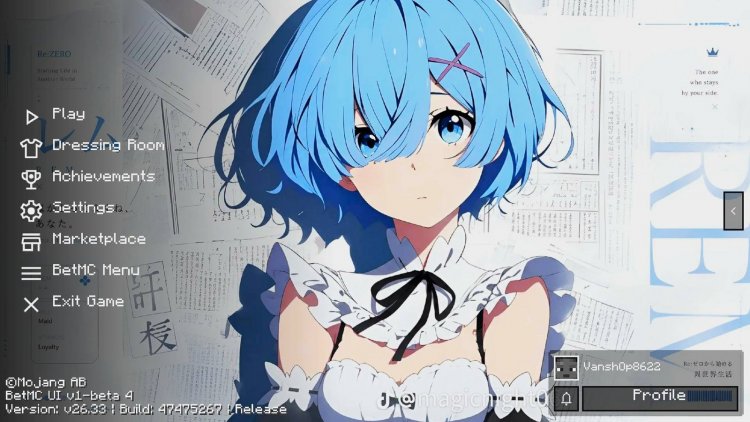
Created by Allay MC
Rem UI [Re: Zero] Anime Girl Texture Pack Review
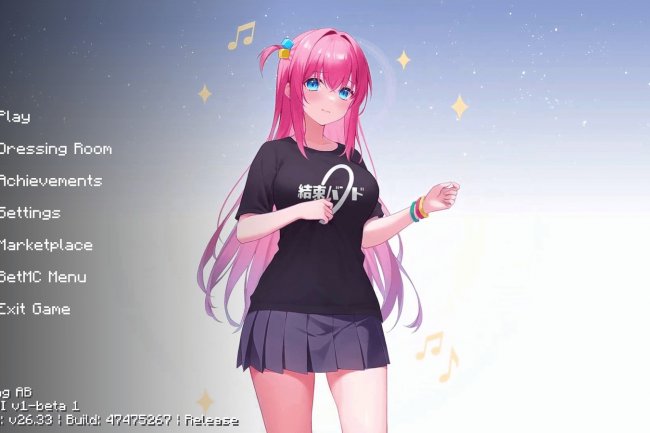
Rem UI is an anime-themed texture pack created by Allay MC that completely overhauls your Minecraft Bedrock interface with custom menus, HUD elements, and character designs inspired by the Re:Zero anime series. Rather than modifying blocks or mobs, this pack focuses entirely on replacing your user interface—everything from your main menu to your inventory screens gets a stylish anime makeover. If you're looking to personalize your Bedrock experience with something visually unique, this pack deserves your attention.
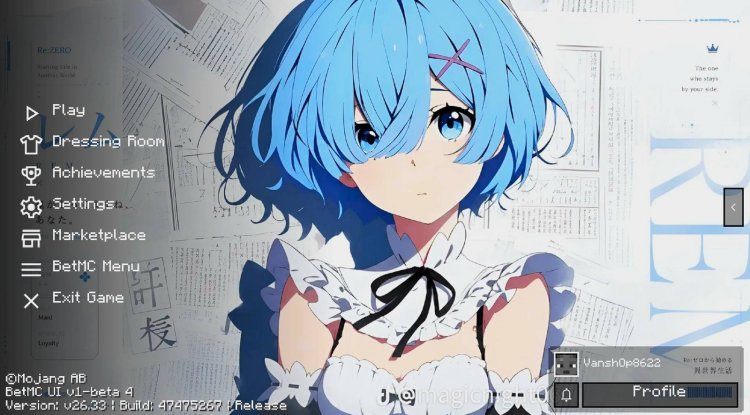
Photos by Allay MC
What Makes Rem UI Stand Out
Most players stick with Minecraft's default interface because custom UI packs can feel gimmicky or poorly optimized. Rem UI breaks that pattern by delivering anime-themed aesthetics without the performance hit you'd typically expect. The pack is specifically designed to be lightweight, which means you won't sacrifice frame rates for style—a critical balance that many texture pack creators struggle to achieve.
What really sets this pack apart is its cohesive design philosophy. Rather than slapping anime artwork randomly across menus, every element feels intentional and polished. The HD artwork throughout maintains readability while injecting personality into spaces you interact with constantly. Whether you're navigating settings or managing your inventory after a mining session, the visual experience feels refined rather than chaotic.
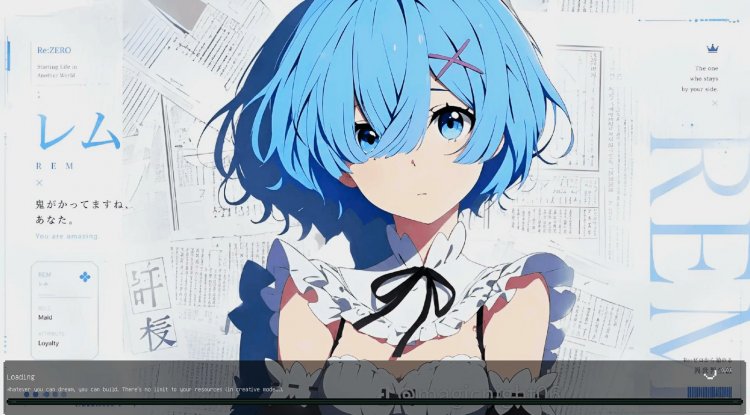
Anime Boy and Girl Theme Options
One of the smartest design choices here is the flexibility built into character representation. Rem UI offers both anime boy and anime girl theme variations, allowing you to choose the aesthetic that resonates with you. This isn't just a cosmetic toggle—it fundamentally changes how your interface presents itself, from the character artwork featured in menus to the overall color schemes and design language throughout.
For fans of the Re:Zero series specifically, the anime girl option prominently features Rem, one of the series' most beloved characters. But even if you're not familiar with the source material, the design quality stands on its own. The artwork is clean, modern, and clearly created by someone who understands both anime aesthetics and Minecraft's visual language.
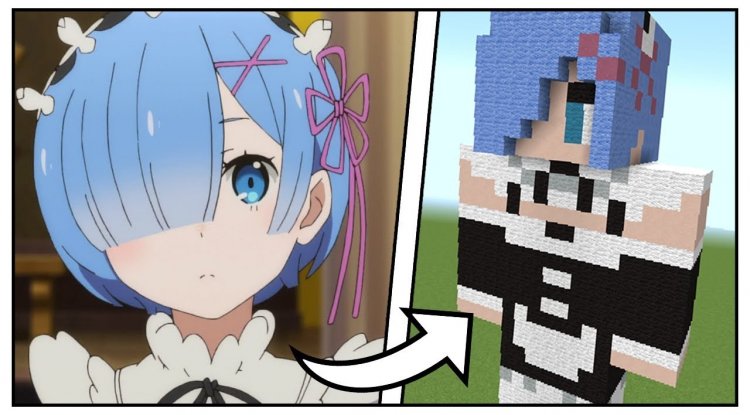
Complete UI Redesign: Menus, HUD, and More
This pack doesn't do anything halfway. It covers every major interface element you interact with regularly. Here's what gets the treatment:
- Main Menu — Your first impression gets completely reimagined with custom backgrounds and buttons that match the anime theme
- Inventory Screen — All your item management interfaces receive custom styling that maintains functionality while looking sharp
- Settings and Options — Configuration menus are redesigned to feel cohesive with the overall aesthetic
- Pause Screen — Even the pause menu gets the anime treatment when you need to step away from action
- Custom HUD Elements — Health bars, hunger indicators, and other on-screen information displays are restyled for visual clarity
- GUI Components — Buttons, sliders, and text fields throughout the interface follow the unified design system
Performance You Actually Notice
Here's something we don't see enough in anime and fantasy texture packs: genuine optimization. Rem UI is built to be lightweight, which means installing it won't turn your device into a heater. The HD artwork looks crisp and detailed, but the file size and memory footprint remain reasonable.
This matters, especially if you're playing on tablets, phones, or older devices where performance can be the difference between enjoyable gameplay and frustrating lag. You get the visual upgrade without the technical compromise.
Regular Updates and Long-Term Support
Allay MC has indicated that this pack receives regular updates, which is refreshing in a community where many texture packs are abandoned months after release. This means you can expect compatibility with new Minecraft Bedrock versions, potential bug fixes, and possibly new features or refinements based on community feedback.
When you invest time into using a custom UI pack, having a creator who's actively maintaining it gives you confidence that your investment in this aesthetic customization will continue paying dividends.
Who Should Install Rem UI?
This pack is ideal for several types of players. Obviously, anime fans—particularly those who love Re:Zero—will find immediate appeal. But beyond that, anyone who wants their Bedrock interface to feel more personalized and visually interesting should consider it. Streamers and content creators might appreciate how distinctive this pack makes their interface in recordings or streams.
The pack also works well for players who run Realm servers or multiplayer worlds and want to create a consistent visual identity. While only players with the pack installed will see the custom interface, having everyone running matching UI packs creates a unified experience.
How to Install Rem UI
Installing Rem UI requires a bit more attention than dropping a single pack into your resource folder. The pack depends on AllayMC Main UI as a foundation, so you'll need both installed and properly configured:
- Download AllayMC Main UI first — This is the dependency that Rem UI builds upon. Import this pack into your Bedrock edition game
- Download and import Rem UI — Once the main UI pack is installed and working, add this pack to your game
- Open Settings → Global Resources — Navigate to your resource pack management screen
- Position Rem UI above AllayMC Main UI — Resource packs load in priority order, so Rem UI needs to sit higher in your active packs list
- Activate both packs — Ensure both are enabled and apply changes
If you're new to texture packs, this dependency system might seem complicated, but it's actually a clean way to manage complex customizations. Think of AllayMC Main UI as the framework and Rem UI as the themed skin layered on top.
Frequently Asked Questions
Is Rem UI compatible with other texture packs?
Rem UI specifically requires AllayMC Main UI as a dependency and should be positioned above it in your resource pack hierarchy. Compatibility with other packs depends on what they modify—UI packs typically conflict with each other since they're modifying the same interface elements.
Will this pack work on my phone or tablet?
Yes. Rem UI is designed to be lightweight and optimized for performance across devices. However, very old or low-end devices might experience minor performance impacts. The pack is significantly lighter than many comparable anime UI packs, so you should be fine on most modern Bedrock devices.
Does Rem UI change my world visuals or just the menus?
This pack exclusively modifies your user interface—menus, HUD elements, and GUI components. Your blocks, mobs, and overall world appearance remain unchanged. If you want to modify world visuals, you'd need a separate block texture pack used alongside this UI pack.
What if I want to switch between the boy and girl themes?
The theme option you choose during installation is your active variant. If you want to switch between boy and girl themes, you'd need to download the alternate version separately. Check your pack source to see if both variants are available as separate downloads.
What's Your Reaction?












![Patrix Resource Pack For 1.19 [32x→256x]](https://minecraftmodded.com/uploads/images/202210/image_750x415_6343b3ab59eff.jpg)


