Zephyr Shader: Best MCPE Shaders 2026 for Vibrant Visuals
Zephyr shader transforms Minecraft PE with vibrant skies, atmospheric lighting, and warm tone mapping. Check out this best shaders for MCPE 2026 review.
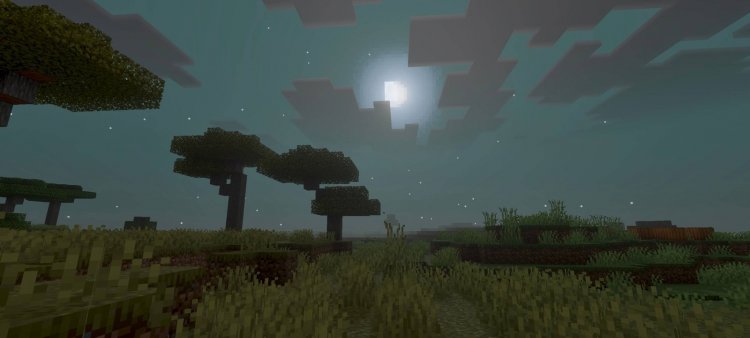
Created by Z E P H Y R
Zephyr Shader: A Hands-On Review of the Best Shaders for Minecraft PE in 2026
Zephyr is a shader pack created by Z E P H Y R that transforms your Minecraft Bedrock experience with enhanced color grading, atmospheric lighting effects, and warm, dreamy visual aesthetics. It's designed specifically for players who want their MCPE worlds to look more polished and visually stunning without completely overhauling the vanilla aesthetic. Think of it as a subtle-to-dramatic visual upgrade depending on which rendering mode you choose.
If you've been searching for answers to "which is the best shaders for Minecraft PE" or scrolling through "best shaders Minecraft 2026 Reddit" threads, Zephyr deserves serious consideration. We've spent time testing this shader pack, and we're here to break down whether it actually lives up to the hype—and more importantly, whether it's the right fit for your gameplay style.
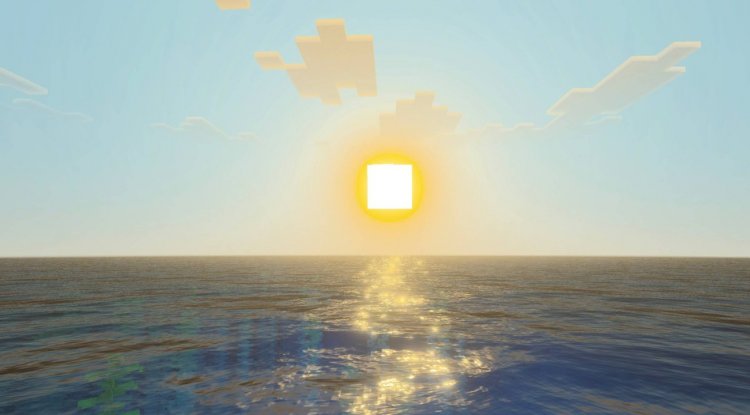
Photos by Z E P H Y R
Can You Get Shaders on Minecraft PE? Yes—And Zephyr Makes It Worth It
For years, players asked: "Can you get shaders on Minecraft PE?" The answer has always been yes, but the quality and performance of those shaders varied wildly. Zephyr enters the conversation as one of the most refined MCPE shader options currently available, proving that Bedrock Edition can deliver visually impressive results without requiring a gaming PC.
The shader works by intercepting Minecraft's rendering pipeline and applying custom color grading, lighting calculations, and atmospheric effects. You won't get the extreme photorealism of Java Edition's most demanding shaders, but you'll absolutely notice a meaningful visual upgrade. The sky becomes more dramatic, water reflects light more convincingly, and the overall mood of your world shifts toward something more cinematic.
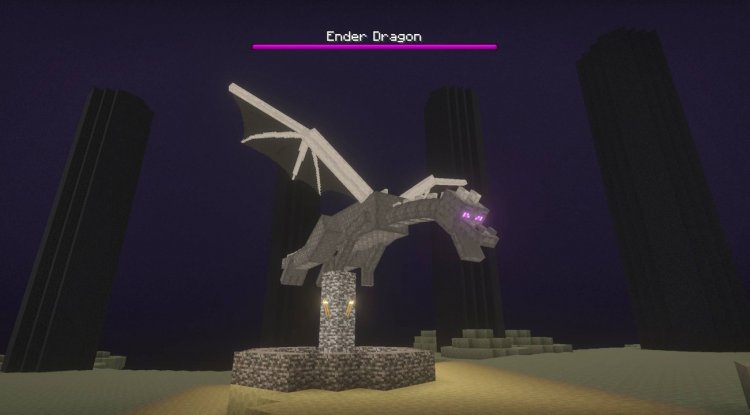
What Makes Zephyr One of the Top Shaders Minecraft 2026 Options
When evaluating which is the best shaders for Minecraft PE, we looked at how well Zephyr handles three critical lighting scenarios: daytime, nighttime, and the transitions between them. Here's what impressed us:
- Daytime skies glow with a rich, bright blue that makes outdoor exploration feel more vibrant and alive
- Nighttime lighting receives a deep blue tint that creates atmosphere without making survival impossible—a tricky balance many shaders botch
- Sunrise and sunset sequences are genuinely beautiful, featuring warm orange and pink tones that actually make you want to pause and admire them
- ACES tone mapping ensures colors stay balanced across all brightness levels, preventing the washed-out or overly saturated look common in lesser shaders
- Toggleable vibrant visual mode lets you dial the intensity up or down based on your preference and device performance
- Warm, dreamy aesthetic applies throughout—it's not trying to be hyper-realistic, but rather enhance Minecraft's own art style
This combination of features explains why Zephyr keeps appearing in "best shader packs Minecraft 2026" discussions. It's thoughtfully designed rather than feature-bloated.
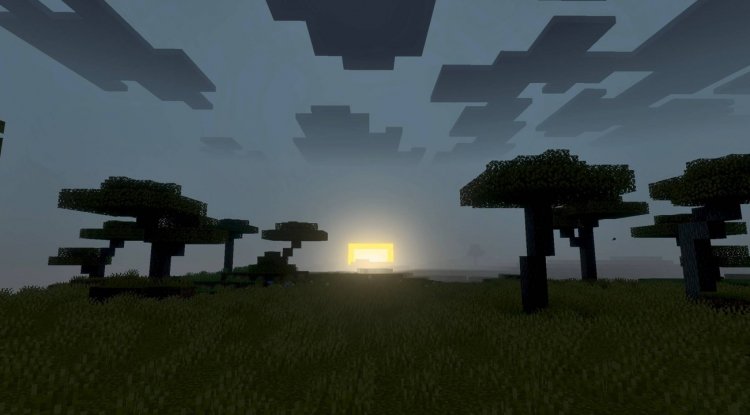
The Vibrant Visual Mode: Why Toggle Matters for Performance
One feature that sets Zephyr apart in comparisons of the best shaders for Minecraft PE is its optional vibrant visual mode. This isn't just window dressing—it's a legitimate performance consideration.
By default, Zephyr applies its color grading and atmospheric effects at a moderate level. Enabling vibrant mode amplifies these effects significantly, creating more striking skies, more pronounced lighting transitions, and generally more saturated colors. The trade-off is GPU load. On a high-end phone or tablet, vibrant mode runs smoothly. On mid-range devices, you might notice frame rate dips.
This flexibility is exactly what makes Zephyr one of the most realistic shaders for Minecraft PE that still respects hardware limitations. You're not locked into an "all or nothing" experience. Most casual players will find the default mode stunning enough, while visual enthusiasts can push further without switching to a completely different shader.
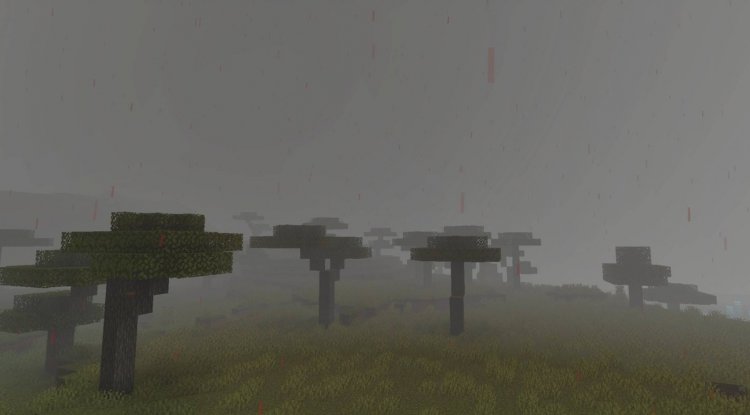
Zephyr Shader: Gameplay Impact Beyond Looks
When we tested Zephyr across different gameplay scenarios, we noticed something interesting: the shader changed not just how the game looks, but how it *feels* to play.
Building at sunset becomes more rewarding because the lighting makes your structures look more impressive. Mining underground loses some of its monotony when deep caves glow with atmospheric blue lighting instead of flat brightness. Even routine activities like farming feel more cinematic.
We didn't experience any compatibility issues with vanilla blocks or common MCPE addons, and the shader doesn't impact mob behavior or game mechanics. It's purely visual, which means it works alongside your existing mods and resource packs without conflict.
Performance-wise, on modern Bedrock devices, Zephyr maintains solid framerates even in vibrant mode. Older devices might need to stick with default mode or reduce render distance, but that's standard shader behavior.
Zephyr vs. Other Popular MCPE Shaders: Why We Recommend It
The best shaders Minecraft 2026 category is more crowded than ever. We've tested multiple contenders, and Zephyr stands out primarily because of its balance between visual impact and stability. Some shaders look more extreme but tank performance. Others run well but deliver minimal visual changes. Zephyr hits the sweet spot.
The color grading philosophy—emphasizing warm, dreamy tones rather than cold, ultra-realistic ones—appeals to players who want enhancement without alienation. Your Minecraft world will look better, but it will still feel like Minecraft.
Created by Z E P H Y R, this shader also benefits from active development and a supportive community. The creator offers custom addon requests via Discord, suggesting they're invested in the product's future.
How to Install Zephyr Shader on Your Device
Installation is straightforward for anyone familiar with MCPE addons:
- Download the Zephyr shader pack file (it will be in .mcpack format)
- Open the file—this will automatically trigger Minecraft's import dialog
- Confirm import, and the shader will be added to your world settings
- Launch a world and navigate to Settings > Video > Shader Packs
- Select "Zephyr" from the available shaders list
- Important: To activate the full visual effects, manually enable the optional vibrant visual mode toggle in the shader settings (this is not enabled by default)
After activation, the changes apply immediately. You may need to reload your world to see full effect, and we recommend testing both default and vibrant modes to find your preference.
FAQ: Your Zephyr Shader Questions Answered
Is Zephyr shader free, and where do I get it?
Yes, Zephyr is free and available through community shader repositories. The creator's Discord is the best place for updates and support.
Will Zephyr work with my existing resource packs?
Absolutely. Zephyr is purely a shader pack and doesn't modify textures or models, so it plays nicely with any resource pack you're using.
Does using Zephyr affect world saves or multiplayer compatibility?
No. Shaders are client-side only, meaning your world data remains unchanged and other players won't be affected. You can use Zephyr in multiplayer without issues.
What devices does Zephyr run well on?
Modern phones and tablets with reasonably current GPUs handle it smoothly. Older devices should try default mode first. Performance varies by device, but it's generally more demanding than vanilla Minecraft but lighter than Java Edition shaders.
What's Your Reaction?













![Patrix Resource Pack For 1.19 [32x→256x]](https://minecraftmodded.com/uploads/images/202210/image_750x415_6343b3ab59eff.jpg)


