Invisible Item Frames Texture Pack for Minecraft Bedrock
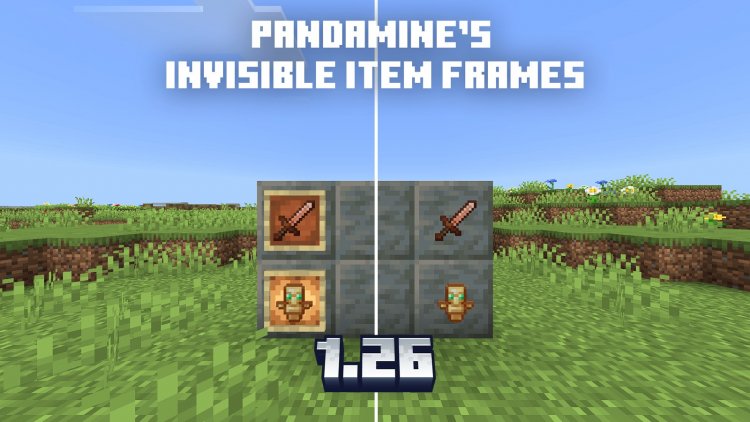
Panda-Mine5's invisible item frames texture pack hides frames while keeping functionality. Perfect for clean large-scale builds. Works with Vibrant Visuals & RTX.
Created by Panda-Mine5
Invisible Item Frames Texture Pack for Minecraft Bedrock: Clean Builds Without the Clutter
Panda-Mine5's Invisible Item Frames & Glow Frames texture pack removes the visual appearance of item frames and glow frames from your world while keeping their functionality completely intact. This is a straightforward but surprisingly powerful tool for builders who want to use frames for decoration, lighting, or organization without seeing the bulky frame graphics in the final result.
If you've ever built something elaborate only to have item frames ruin the aesthetic, or tried to use glow frames for hidden lighting mechanics, this pack solves that problem elegantly. It's been updated through versions 1.16 to 1.26, with specific support for modern shader packs and rendering systems.
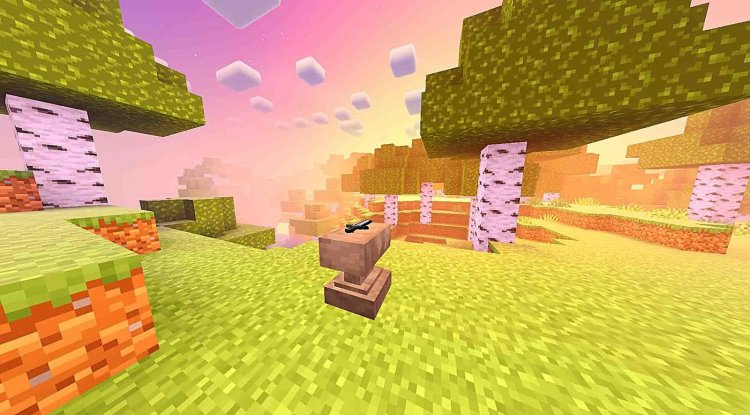
Photos by Panda-Mine5
What Makes Invisible Frames Useful for Builders
Item frames are one of the most versatile decorative tools in Minecraft, but they come with a visual cost. The wooden or dark frame outline can clash with carefully designed builds, especially in minimalist designs or when you're trying to achieve a specific aesthetic. Glow frames have the same problem—they're useful for creating floating light effects, but the frame itself is visible and distracting.
This texture pack eliminates that compromise. You get to use frames for all their mechanical advantages—holding items, rotating them for decoration, creating pixel art displays, or mounting them on walls—without the visual frame taking up space in your composition. Large-scale builds benefit especially, where dozens or hundreds of frames might be part of the structure. Making them invisible transforms how clean and intentional your build feels.
The pack is designed with builders in mind who understand the difference between function and appearance. You're not removing the frames themselves, just their textures, which means everything works exactly as before.
Three Sub-Packs for Different Frame Configurations
Panda-Mine5 included three different sub-packs within this texture pack, giving you flexibility depending on how you want to handle frames:
- Standard invisible configuration for both item frames and glow frames
- Variant packs tailored to different use cases and build styles
- Options to choose the right setup for your specific project needs
This means you're not locked into one approach. Some builders might want all frames invisible, while others might prefer a hybrid setup depending on the context of their build. Having multiple sub-packs built in gives you that control without needing to download separate versions or create custom edits.
Shader & Rendering Compatibility: Works With Your Setup
Modern Minecraft Bedrock includes several rendering and shader options that can make or break a texture pack's usability. This pack was specifically tested and confirmed to work with:
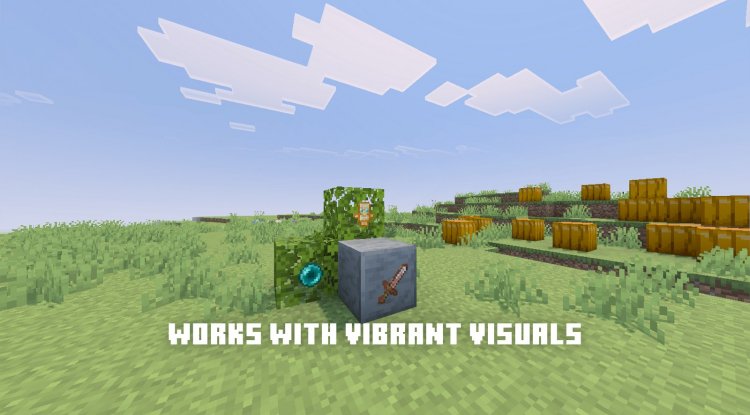
- Vibrant Visuals shader pack – including versions 1.26+
- RTX rendering – for ray-traced lighting and reflections
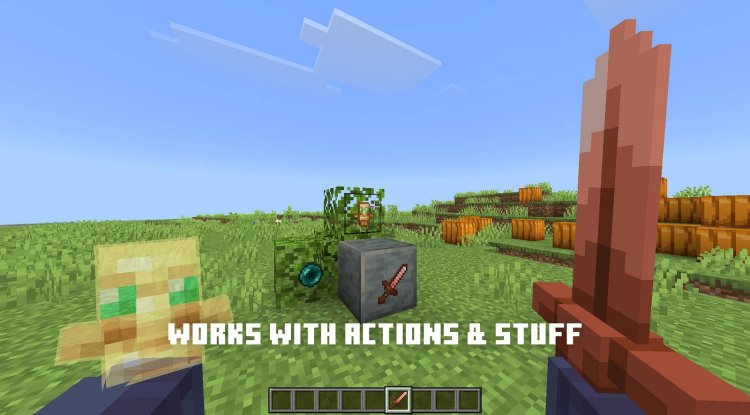
- Actions & Stuff mod – for expanded functionality
That compatibility matters because nothing is worse than installing a texture pack only to find it breaks your shader or causes rendering issues. Panda-Mine5 tested this thoroughly across multiple systems. Whether you're building with Vibrant Visuals' enhanced lighting or relying on RTX for realistic reflections, the invisible frames stay invisible and performant.
Performance Considerations and Practical Use Cases
Invisible frames can actually improve performance in frame-heavy builds. Since the game still renders frames (they're just textured as transparent), you won't see a massive FPS boost, but there's no penalty either. The real win is creative: you can use frames more liberally without worrying about visual clutter.
Common use cases include:
- Creating floating item displays in shops or museums
- Building hidden lighting systems with glow frames
- Decorating walls with rotated items that appear to float
- Organizing storage areas where frames hold visual organization tools
- Creating architectural details where frames add dimension without visible structure
Multiplayer servers also benefit—players can build collaboratively without the frame graphics cluttering everyone's view.
Installation Requirements and Dependencies
Before installing this pack, understand that it has one mandatory dependency: PandaMine's Mip Mapper. This is not optional. You need Mip Mapper installed and active in your world for the invisible frames pack to function properly. Think of Mip Mapper as the foundation that makes the texture replacement possible.
This is actually a sign of quality work—it means Panda-Mine5 is using proper texture processing rather than quick workarounds. Mip Mapper is also created by the same author and is designed to work seamlessly with their other packs.
How to Install Invisible Item Frames Texture Pack
Step 1: Install the dependency first
Download and install PandaMine's Mip Mapper to your Minecraft Bedrock installation. Add it to your active packs list and test that it loads without errors.
Step 2: Import the texture pack
Once Mip Mapper is active, download the Invisible Item Frames & Glow Frames pack and import it as a .mcpack file (or manually place the folder in your resource packs directory).
Step 3: Activate in your world
Open your world's resource packs settings. Add the invisible frames pack to your active packs, ensuring it loads after Mip Mapper in the priority order.
Step 4: Apply and test
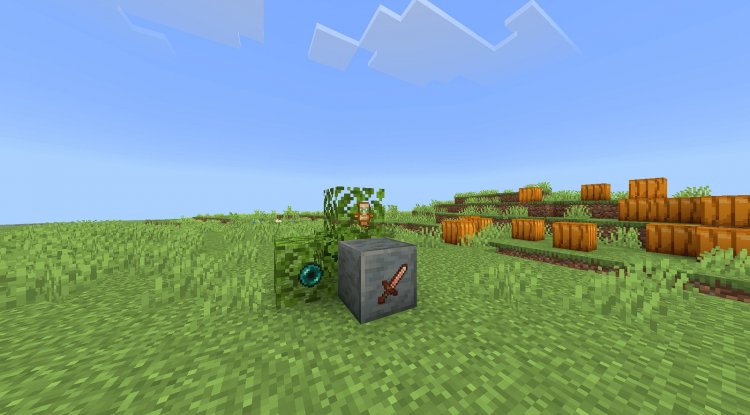
Save your changes and enter the world. Item frames and glow frames should now appear invisible while remaining fully functional. Try placing a frame and adding an item to confirm the texture is gone but the frame still works.
Works across Minecraft Bedrock versions 1.16 through 1.26+, so compatibility should be solid for current and near-future versions.
Creator Rights and Usage Guidelines
Panda-Mine5 allows video showcases of this texture pack with proper credit and attribution to the CurseForge listing. If you're planning to feature it on YouTube or Twitch, include a link back to the official distribution page.
The pack is distributed exclusively through ModBay or CurseForge official links. Modification and monetization are prohibited—you can use it, show it, and share it, but not alter it or profit from it. Panda-Mine5 actively enforces intellectual property protections, so respect those boundaries.
Frequently Asked Questions
Will invisible frames affect gameplay or multiplayer functionality?
No. The frames themselves are unchanged; only their texture is invisible. They still work for holding items, rotating decorations, and functioning with mods. In multiplayer, every player sees the same invisible frames as long as they have the pack installed.
Do I need PandaMine's Mip Mapper even if I have other texture packs installed?
Yes. Mip Mapper is specifically required for this pack to work. Install it as a separate resource pack and keep it active above the invisible frames pack in your load order.
Will this texture pack work with my current shader pack?
It's confirmed compatible with Vibrant Visuals (including 1.26+) and RTX rendering. For other shaders, there's a good chance it will work, but compatibility isn't guaranteed—test it in a creative world first if you're using a different shader.
Can I edit this texture pack to customize which frames are invisible?
The creator's terms prohibit modification. However, the included sub-packs offer different configurations, so try those first to see if any match what you need.
What's Your Reaction?











![Patrix Resource Pack For 1.19 [32x→256x]](https://minecraftmodded.com/uploads/images/202210/image_750x415_6343b3ab59eff.jpg)


