Sakura PvP Texture Pack: Pink Competitive Edge for MCPE
Sakura PvP is a pink-themed competitive texture pack for Minecraft Bedrock with glowing gear, custom skies, and combat-focused visibility features.
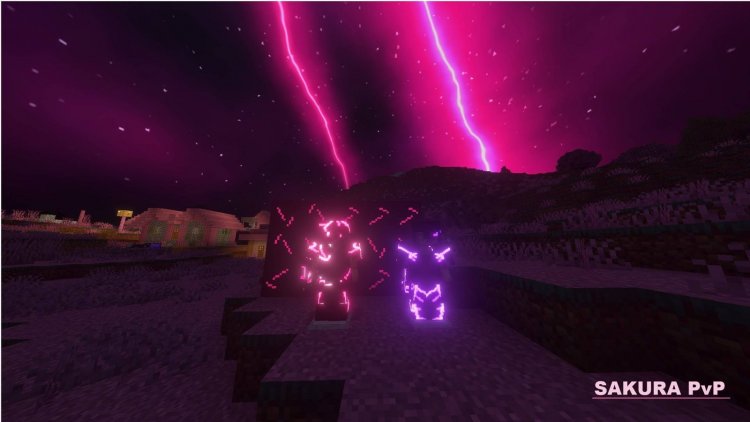
Created by Relyz
Sakura PvP is a pink-themed competitive texture pack for Minecraft Bedrock that reimagines the PvP experience through a cherry-blossom aesthetic. Created by Relyz as a vibrant counterpart to the popular Crimson pack, version 2.0 "Full Bloom" combines stunning visual customization with practical combat enhancements designed to give you a competitive edge during intense multiplayer encounters.
Photos by Relyz
What Makes Sakura PvP Stand Out in Competitive Play
When you load into a server or realm with Sakura PvP installed, the first thing you'll notice is the cohesive pink-and-purple color scheme that transforms familiar blocks into something fresh. But this isn't just a vanity pack—Relyz has thoughtfully engineered gameplay features that actually matter when you're dueling other players or grinding resources.
The pack strips away visual clutter that typically obscures your view during combat. Swords are rendered at a reduced size, meaning they don't dominate your screen and block your sightline to opponents. Fire textures have been minimized for clarity. Even your standard glass is crystal-clear, letting you see through bases and structures without confusion. These aren't dramatic changes, but they accumulate into a noticeable advantage when split-second positioning counts.
What sets Sakura apart from purely aesthetic packs is that every feature—from the custom sounds to the particle effects—was designed with PvP in mind. You're not sacrificing playability for looks.
Glowing Gear: Light Up the Night During Combat
One of the most distinctive features is the glowing equipment system. When you're holding enchanted gear in low-light conditions, your armor and weapons emit their own light. Diamond equipment glows with a soft pink luminescence, while Netherite tools shimmer with violet undertones. This accomplishes two things: it looks absolutely stunning, and it helps you locate your gear in dark caves or during nighttime battles.
The glow isn't so intense that it gives away your position from kilometers away, but it's bright enough to be genuinely useful. If you've ever lost a diamond pickaxe in a dark cavern or struggled to locate your hotbar items during a hectic fight, this feature is a game-changer.
Nine Custom Sky Options and Immersive Variants
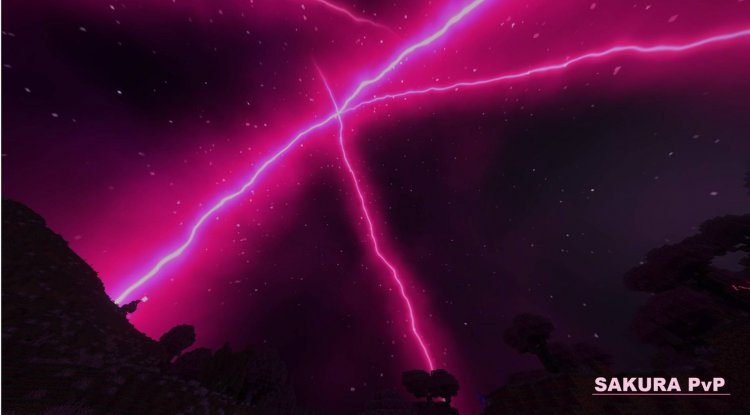
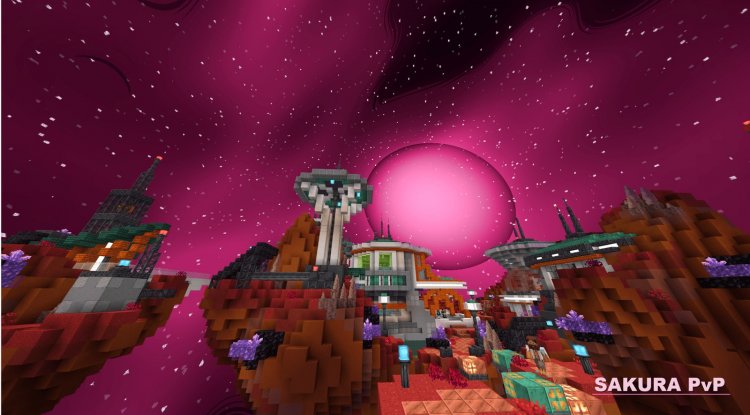
Sakura PvP includes an extensive sky customization system with nine distinct options. The standout is the exclusive Hanami sky—a breathtaking variant featuring falling cherry blossom petals that create an atmospheric battlefield. This sky option doesn't exist in the original Crimson pack, making it a unique selling point for Sakura.
Beyond Hanami, you'll find Sakura Rift and several aurora and eclipse variants. Each sky can be selected independently via the gear icon in your Global Resources settings, letting you switch between them based on your mood or the tone you want for your session. Some players prefer the ethereal aurora look for building sessions, while others opt for the dramatic eclipse variant during competitive events.
This flexibility means you're not locked into one aesthetic—the pack grows with your preferences.
Cherry Blossom World Aesthetic: A Cohesive Pink Paradise
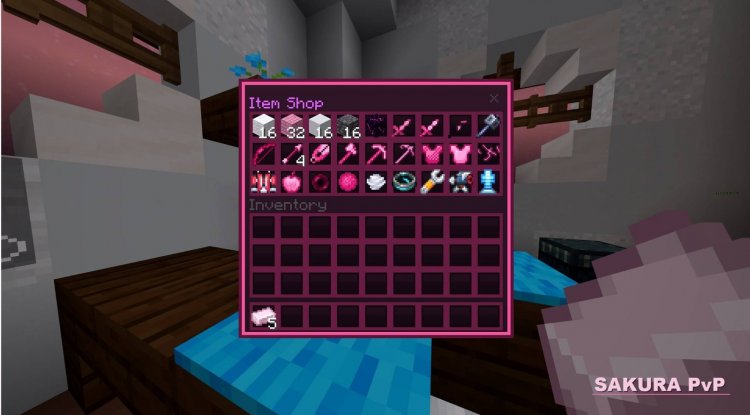
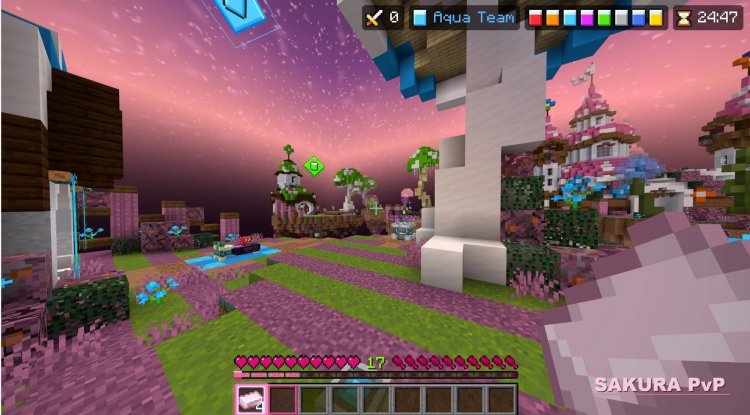
The block palette in Sakura PvP has been reimagined throughout. Grass is now a soft pink shade, leaves bloom with cherry-blossom tones, and custom cherry wood blocks fit seamlessly into the theme. Walking through a forest or your base feels like exploring a fantasy realm rather than standard Minecraft.
Even obsidian—typically a flat black block—features pulsing glowing veins that make it visually interesting. The enchantment glint on all enchanted items is rendered in pink, creating a consistent visual language across your entire world.
This level of cohesion matters. When every texture reinforces the cherry-blossom theme rather than fighting against it, the immersion deepens significantly. You're not just adding pink to random elements; you're stepping into a carefully curated world.
Combat Features That Give You a Real Advantage
Beyond aesthetics, Sakura PvP packs genuine competitive features into its design. The custom sound design includes a koto-chime XP pickup sound that's both satisfying and distinct, making resource gathering feel rewarding. Hit sounds are layered with multiple tones, giving impact feedback a richer quality that helps you feel connected to combat.
Critical hit particle effects are enhanced with pink variations, making your successful strikes visually pop. TNT explosions similarly get a custom particle treatment. These might seem cosmetic, but experienced PvP players know that immediate visual feedback improves performance—you react faster to what you see.
The high-resolution UI elements (rendered at 2x resolution) mean inventory screens, HUD elements, and your hotbar are crisp and easy to read. When you're managing resources mid-fight, clarity matters.
Nightbloom Rarity: A Tier Above Diamond
One interesting detail in Sakura PvP's design philosophy is the introduction of "Nightbloom," positioned as a rarity tier above diamond in the pack's color hierarchy. This is a subtle but intentional choice that elevates certain blocks and items in the visual hierarchy, giving them special status within the aesthetic framework.
Safety and Compatibility: No Cheats, No Bans
A critical question for any texture pack is whether it's server-safe. Sakura PvP contains zero game mechanic modifications, no hacks, and no server-unsafe content. You can use this on any Bedrock server, realm, or competitive event without risk of ban or detection. It's purely visual—Relyz has maintained the integrity of vanilla Minecraft gameplay while transforming its appearance.
How to Install Sakura PvP on Minecraft Bedrock
Installation is straightforward. Download the .mcpack file, then open it on your device. Minecraft will automatically prompt you to import it into your world or global resources. Navigate to Settings > Global Resources and enable Sakura PvP in the list. Restart Minecraft to apply changes.
Next, head to Video Settings and ensure Vibrant Visuals is activated—this setting unlocks the full visual potential of the pack's custom effects and glowing elements. Finally, select your preferred sky variant by clicking the gear icon in Global Resources and choosing from the nine available options.
The entire process takes under two minutes, and you can switch between sky variants anytime without restarting the game.
Who Should Download Sakura PvP?
This pack is ideal for competitive PvP players who want practical visibility improvements wrapped in a gorgeous aesthetic. It's also perfect for anyone who loves pink or cherry-blossom themes and wants their world to feel cohesive and intentional rather than randomly colored. Streamers and content creators will appreciate the visual distinctiveness—your footage will stand out, and viewers will notice the polish immediately.
If you prefer minimalist or darker texture packs, Sakura probably isn't for you. But if you've ever wanted a competitive edge that doubles as eye candy, this is worth trying.
Frequently Asked Questions
Is Sakura PvP safe to use on multiplayer servers?
Yes, completely. The pack contains no game mechanics, hacks, or server-unsafe modifications—it's purely visual. You can use it on any Bedrock server, realm, or tournament without ban risk.
Can I switch sky variants after installing the pack?
Yes. After installation, go to Global Resources, click the gear icon next to Sakura PvP, and select from nine sky options including Sakura Rift, Hanami, aurora, and eclipse variants. No restart required.
What's the difference between Sakura PvP and the original Crimson pack?
Sakura PvP is a pink-themed evolution of Crimson's competitive design. It includes exclusive features like the Hanami sky (with falling petals) and features the same combat-focused visibility enhancements adapted to a cherry-blossom aesthetic.
Do I need Vibrant Visuals enabled for the pack to work?
The pack functions without it, but Vibrant Visuals in Video Settings unlocks the full visual potential of custom effects, glowing elements, and enhanced particle effects. It's highly recommended for the complete experience.
What's Your Reaction?












![Patrix Resource Pack For 1.19 [32x→256x]](https://minecraftmodded.com/uploads/images/202210/image_750x415_6343b3ab59eff.jpg)


